 PH
PHLet us create a basic navigation with just simple understanding on how to use display: flex;
Here is the markup:
Here is our CSS rules.
Display flex has been applied to nav element, and all the child element inside the nav, which are the a tags, will be displayed horizontally by default, then apply:
which gives you this layout shown below:

Let us get the spacing done by adding the margin rules to a tag:

If you wish to get the wrapping issue for nav element, see:
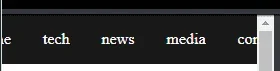
Just add this rule below:

If you wish to see this in action, please see:
You do not have permission to view the full content of this post. Log in or register now.
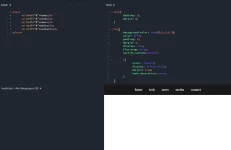
Here is the markup:
HTML:
<nav>
      <a href="#">home</a>
      <a href="#">tech</a>
      <a href="#">news</a>
      <a href="#">media</a>
      <a href="#">contact</a>
</nav>
Here is our CSS rules.
Code:
body{
      padding: 0;
      margin: 0;
}

nav{
      background-color: rgba(0,0,0,0.9);
      color: #fff;
      padding: 0;
      margin: 0;
      display: flex;
      flex-wrap: wrap;
      justify-content:center;

      a{
            color: inherit;
            display: inline-block;
            margin: 1rem;
            text-decoration: none;
      }
}
Display flex has been applied to nav element, and all the child element inside the nav, which are the a tags, will be displayed horizontally by default, then apply:
Code:
justify-content:center;which gives you this layout shown below:
Let us get the spacing done by adding the margin rules to a tag:
Code:
margin: 1rem;If you wish to get the wrapping issue for nav element, see:
Just add this rule below:
Code:
flex-wrap: wrap;If you wish to see this in action, please see:
You do not have permission to view the full content of this post. Log in or register now.
 kasi medyo naguguluhan ako pero yung iba mas gamit nila ang grid eh