 PH
PH
Facebook and Instagram today took the wraps on its Vine-killer, called Video on Instagram. It allows users on iOS and Android to shoot, edit, filter and share 15-second videos in their social networking feed. While the Instagram app still maintains its easy-to-use format, newbies will appreciate a few pointers.
1. Install or Update your app
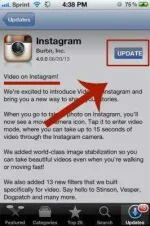
Open the App store and go to Updates. Look for Instagram and select it. Tap the Update button to get the latest version (4.0) of Instagram. We’ve noticed that not all Android devices have this ability just yet, despite the company’s claim.
If you don’t have Instagram yet, join 130 million active users in chronicling your life one filtered picture or video at a time. Search the App store for “Instagram” and install the free app. The open the app.
You Can Watch The Video Tutorial Here : You do not have permission to view the full content of this post. Log in or register now.