PH
PHheadknocker
Forum Veteran
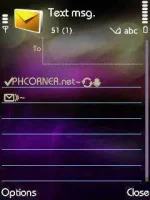
Share ko lang itong Font na ito. Ang lupit e ASTIG 'to! Tested on my Nokia N77
OK let's Start!
OK let's Start!
What tools are we need to do this?
1. FontRouter
2. FontRouter Manager
3. X-plore
Note: Dapat already h a c k e d na ang phone mo para magawa ang kabulastugang ito.
Step 1: Install FontRouter and FontRouter Manager.
Step 2: Open X-plore.
Step 3: Find the file Monster Energy and extract or move it to C:\ Drive.
Step 4: Open the recenly installed FontRouter Manager.
Step 5: On the FontLocation Tab, locate the Monster Energy and write the location of it. "C:\Monster Energy.ttf" without quote.
Step 6: Restart the phone.
Kung nalalabuan kayo, punta lang sa FontRouter Man at iadjust ang Chroma at ZoomRatio depende sa gusto nyo.
Subukan nyo yan sa S60v2 o v5. Hindi ko pa nasubukan dyan e. Wala naman kasi akong phone na ganyan.
Subukan nyo yan sa S60v2 o v5. Hindi ko pa nasubukan dyan e. Wala naman kasi akong phone na ganyan.
Credits to the people na gumawa neto. Leech lang 'to! Shinare ko lang dito. Haha
Tingnan nyo! 
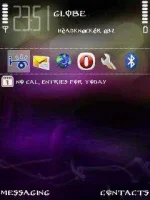
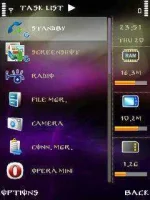
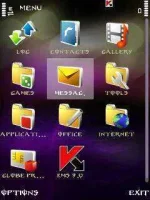
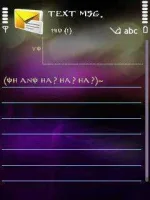

EDIT: Idagdag ko itong Font na 'to. Galaxy S Font