 PH
PHDONT FORGET TO LIKE AND SUBSCRIBE ME!
PS: I DON'T EARN ANY MONEY ON MY POSTS!
VMware Workstation Pro 14.1.1 Crack
*****************************************
VMware Workstation Pro 14.1.1 There are numerous virtual environment provides on the market today, some put ease of use above functionality, other place integration above stability. VMware Workstation Pro is the easiest to use, the fastest and the most reliable app when it comes to evaluating a new OS, or new software apps and patches, in an isolated and safe virtualized environment. Workstation Pro offers high performance, strong reliability, and cutting edge features that make it stand out from the crowd.
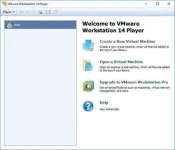
VMware Workstation Pro 14 Latest Version comes with rich user experience, broadest of operating system support and designed for professionals that rely on virtual machines to get their job done. VMware Workstation Pro takes advantage of the latest technologies, so you can run any applications on a breadth of operating systems including Linux, Windows and more at the same time on the same PC, you can easy to evaluate new operating systems like Windows 10, test software applications, patches, and many more. VMware Workstation Pro 14 is a perfect choice for those of you who are a little skeptical about making the leap over to Windows 10. By utilizing an app like this, you’ll get to try out all of Windows 10’s new features in a safe sandboxed environment, without the need to install the OS natively.
VMware Workstation Pro 14 doesn’t just support Microsofts OS, you can also install Linux VMs, including Ubuntu, Red Hat, Fedora, and lots of other distributions as well.

VMware Workstation Pro 14 Key Features :

Download Link:
You do not have permission to view the full content of this post. Log in or register now.
PS: I DON'T EARN ANY MONEY ON MY POSTS!
VMware Workstation Pro 14.1.1 Crack
*****************************************
VMware Workstation Pro 14.1.1 There are numerous virtual environment provides on the market today, some put ease of use above functionality, other place integration above stability. VMware Workstation Pro is the easiest to use, the fastest and the most reliable app when it comes to evaluating a new OS, or new software apps and patches, in an isolated and safe virtualized environment. Workstation Pro offers high performance, strong reliability, and cutting edge features that make it stand out from the crowd.
VMware Workstation Pro 14 Latest Version comes with rich user experience, broadest of operating system support and designed for professionals that rely on virtual machines to get their job done. VMware Workstation Pro takes advantage of the latest technologies, so you can run any applications on a breadth of operating systems including Linux, Windows and more at the same time on the same PC, you can easy to evaluate new operating systems like Windows 10, test software applications, patches, and many more. VMware Workstation Pro 14 is a perfect choice for those of you who are a little skeptical about making the leap over to Windows 10. By utilizing an app like this, you’ll get to try out all of Windows 10’s new features in a safe sandboxed environment, without the need to install the OS natively.
VMware Workstation Pro 14 doesn’t just support Microsofts OS, you can also install Linux VMs, including Ubuntu, Red Hat, Fedora, and lots of other distributions as well.
VMware Workstation Pro 14 Key Features :
- Restricted and Encrypted VMs – Protection and performance enhancements.
- Support for DirectX 10 and OpenGL 3.3
- Fully compatible with Windows 10
- VMware Compatibility – Create one; Run anywhere on VMware software.
- Powerful 3D Graphics – DirectX 10* and OpenGL 3.3 support.
- Enterprise Quality Virtual Machines – 16 vCPUs, 8TB virtual disks, and 64GB memory.
- vSphere and vCloud Air Support – Drag and drop VMs between environments.
- Virtual Machine Video Memory – Up to 2GB.
- New CPU, boot and NVMe enablements
- Expiring Virtual Machines – Time-limited virtual machines.
- Latest Hardware Support – Broadwell and Haswell CPU support.
- Enhanced Connectivity – USB 3.0, Bluetooth, HD audio, printers, and Skype support.
- Enhanced IPv6 Support – IPv6-to-IPv4 NAT (6to4 and 4to6).
- Run multiple operating systems simultaneously
- Support for new guest operating systems
- Run virtually the most demanding applications
- Run, move and access your virtual machines
- Simple, easy-to-use, and intuitive workflows
- Create virtual machines from any operating systems
- New TPM 2.0 compatible virtual platform
- High Resolution Displays – 4K UHD and QHD+ support.
- Create, run and share virtual machines with others
- Support for Ultra HD (4k) monitors
- Other features and performance improvements
Download Link:
You do not have permission to view the full content of this post. Log in or register now.
