 PH
PHjhonrey1011
Fanatic
Download Link:You do not have permission to view the full content of this post.
Log in or register now.
Update 07/05/2018 Version 4.1
+ Decrease speed of ghost h@ck
+ Fixed teleport while using ghost h@ck, you need to enabled ghost h@ck first
TRY YOUR DUMMY ACCOUNT FIRST
USE AT YOUR OWN RISK
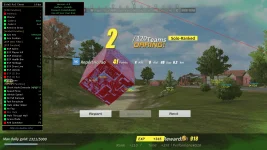
- Intruction:
+ Download and unzip
+ Open Exe File, click Open Ros.exe and find ros.exe in rules of suvival folder and click open
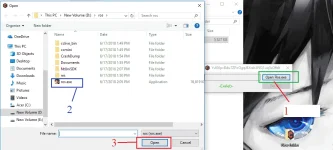
+ DONT CLOSE LOADER. OPEN GAME AND PLAY !
+ Use Left Mouse for enable h@ck, Right Mouse for disable. Press Insert for hide/show menu
+ You can drag menu to anywhere you want
If you get Error "MSVCR120.dll"
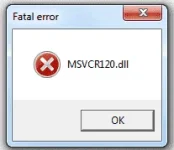
Search "MSVCR120.dll" in Google
And Download
Paste it to your C:\Windows\System32 and C:\Windows\SysWow64 folder
If you get Error "Cannot find MSVCP120.dll"
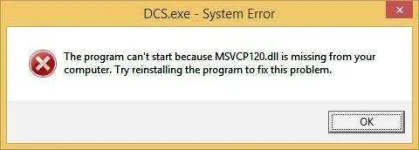
Search "MSVCP120.dll" in Google
And Download
Paste it to your [COLOR=#ff0000]C:\Windows\System32 [/COLOR]and [COLOR=#ff0000]C:\Windows\SysWow64 [/COLOR]folder
Update 07/05/2018 Version 4.1
+ Decrease speed of ghost h@ck
+ Fixed teleport while using ghost h@ck, you need to enabled ghost h@ck first
TRY YOUR DUMMY ACCOUNT FIRST
USE AT YOUR OWN RISK
- Intruction:
+ Download and unzip
+ Open Exe File, click Open Ros.exe and find ros.exe in rules of suvival folder and click open
+ DONT CLOSE LOADER. OPEN GAME AND PLAY !
+ Use Left Mouse for enable h@ck, Right Mouse for disable. Press Insert for hide/show menu
+ You can drag menu to anywhere you want
If you get Error "MSVCR120.dll"
Search "MSVCR120.dll" in Google
And Download
Paste it to your C:\Windows\System32 and C:\Windows\SysWow64 folder
If you get Error "Cannot find MSVCP120.dll"
Search "MSVCP120.dll" in Google
And Download
Paste it to your [COLOR=#ff0000]C:\Windows\System32 [/COLOR]and [COLOR=#ff0000]C:\Windows\SysWow64 [/COLOR]folder
