PH
PHUnblocked Fb messenger, Viber etc in your office using this server.
FOR ANDROID ONLY!
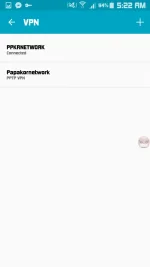
Go to Setting -> VPN -> Add VPN -> Description/NAME (WebsiteVPN)
-> server address 67.212.188.13 -> username : freevpn -> password: accounts -> saved
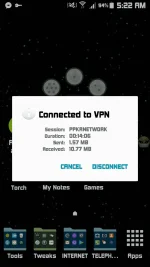
try to connect it. once connected go to google chrome -> type google.com.ph -> go ->
after that just click I AGREE then VOILA! you can now do surfing.
you may also use this with your GS promo or you can try any promo
Try din sa ibang network then plz send me your feed back thanks
FOR ANDROID ONLY!
Go to Setting -> VPN -> Add VPN -> Description/NAME (WebsiteVPN)
-> server address 67.212.188.13 -> username : freevpn -> password: accounts -> saved
try to connect it. once connected go to google chrome -> type google.com.ph -> go ->
after that just click I AGREE then VOILA! you can now do surfing.
you may also use this with your GS promo or you can try any promo
Try din sa ibang network then plz send me your feed back thanks