 PH
PHIt offers both magic partition management and disk management. Advanced disk space optimization to keep your computer running smoothly and faster.
This freeware is compatible with both 32 bit & 64 bit versions of Windows operating systems, including Windows 8, Windows 7 (SP1 supported), Vista, XP, and Windows 2000 Professional. It has the ability to resize and move partition, extend system drive, merge partitions, split partition, allocate free space, copy partition, copy disk on MBR and GPT disk, with all data protected.
Highlight! AOMEI Partition Assistant Home Edition is the globally unique disk partition freeware allows commercial use, because you're worth it!
Features:
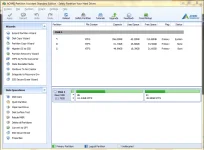
This freeware is compatible with both 32 bit & 64 bit versions of Windows operating systems, including Windows 8, Windows 7 (SP1 supported), Vista, XP, and Windows 2000 Professional. It has the ability to resize and move partition, extend system drive, merge partitions, split partition, allocate free space, copy partition, copy disk on MBR and GPT disk, with all data protected.
Highlight! AOMEI Partition Assistant Home Edition is the globally unique disk partition freeware allows commercial use, because you're worth it!
Features:
- Resize/Move Partition - Change partition size without losing data.
- Extend Partition Wizard - Extend NTFS partition without restarting computer.
- Allocate Free Space - Reallocate free space from one partition to another.
- Merge Partitions - Merge two adjacent partitions to one.
- Split Partition - Split a big partition into two small one.
- Create Partition - Make a new partition to store various data.
- Delete Partition - Delete unnecessary and useless partition.
- Format Partition - Empty all data on a partition.
- System Migration - Migrate system to solid-state drive (OS to SSD).
- Copy Disk - Clone a disk from one to another.
- Copy Partition - Clone a partition to other location.
- Dynamic to Basic Disk Conversion - Convert dynamic disk to basic without losing data.
- MBR and GPT Conversion - Convert between MBR disk and GPT disk without loss of data.
- NTFS and FAT32 Conversion - Convert NTFS to FAT32 partition with no data loss and vice versa.
- Second Ext2/Ext3 partition - Create second partition Ext2/Ext3 on SD cards and USB flash drives without formatting.
- Primary and Logical Conversion - Convert between primary partition and logical partition safely.
- Create Bootable Disc - Create Windows PE bootable media without having to install AIK/WAIK.
- Windows to Go Creator - Install Windows 8 to external disk or removable flash drive.
- SSD Secure Erase Wizard - The way to write data on an SSD is entirely different from that on an HDD (hard disk drive).