PH
PHZenKurtXhyle
Elite
paps pabulong naman ng script di ko naabutan...kaunting kalikot na lang yan! Error Code: 2
paps pabulong naman ng script di ko naabutan...kaunting kalikot na lang yan! Error Code: 2
hahaha natatawa talaga ako. akala kasi nila tol nkukuha lang sa bangketa ang server.

 Thank you sayo sir eugcar at darkside101 , djdoolky76 salamat sa mga clue na binigay nyoo .
Ayon! Andito na lahat ng clue...pagsamasamahin mo lang hahaha.. Congrats!Sa wakas connected nako wohhhh Pasinsya lang ang pohunan
isang araw ko pinag aralan hahaha worth it namn hahaAyon! Andito na lahat ng clue...pagsamasamahin mo lang hahaha.. Congrats!
ako 24 hours walang tulogan talaga..as in literal na walang tulogisang araw ko pinag aralan hahaha worth it namn haha
sir ayaw mag start ng server ??sa debian 8 ako nag setup bro
Ito autoscript para di ka mahirapan
Step 1: Sa clean setup
apt-get update
apt-get install nano
nano installvpn
tapos paste mo and code sa baba sa terminal at save. CTRL+O CTRL+X
Next, is execute mo ang bash
chmod 775 * && ./installvpn
automated na ang installation. press 1 nalang sa lahat ng tanong.
#-------------------------------------------------------
#Softether Auto Install Script
#For Debian 7 x64 (i686 will arrive soon)
#
#Script Coded by Faishal Akbar
#You do not have permission to view the full content of this post. Log in or register now.
#
#Script Based from tutorial by lincolin.hk
#
#Good Luck!
#-------------------------------------------------------
#Updating Repositories and Installing Development Packages
apt-get update -y
apt-get install build-essential -y
#Get the Softether Packages via wget and Save it into /root
cd /root
wget You do not have permission to view the full content of this post. Log in or register now.
tar zxf softether-vpnserver-v4.10-9473-beta-2014.07.12-linux-x64-64bit.tar.gz
#Making files, manual input needed
cd vpnserver
clear
make
cd ..
#Moving files to /usr/local
mv vpnserver /usr/local
#Set the permissions
cd /usr/local/vpnserver
chmod 600 *
chmod 700 vpncmd
chmod 700 vpnserver
#Downloading the Scripts for init.d and set Permission
cd /root
wget You do not have permission to view the full content of this post. Log in or register now. --no-check-certificate
mv vpnserver-debian.sh /etc/init.d/vpnserver
cd /etc/init.d
chmod 755 vpnserver
#Creating lock and last touching...
mkdir /var/lock/subsys
update-rc.d vpnserver defaults
/etc/init.d/vpnserver start
cd /usr/local/vpnserver
echo -----------------------------------------------------
echo Install finish!
echo check this step to check are installer is working properly
echo 1. vpnserver and vpncmd is on /usr/local/vpnserver
echo 2. /etc/init.d/vpnserver start can executed
echo if vpnserver can start, congratulations!
echo ------------------------------------------------------
exit
post mo dito ang error.sir ayaw mag start ng server ??
Laging error code 2 pano ba to hahahapost mo dito ang error.
marami na akong na setup na VPS idol specially sa mga ρáíd VPN since 2009 na sa kapanahonan ng Puknut, TsunamiVPN, ang mga unang VPN provider sa internet world.
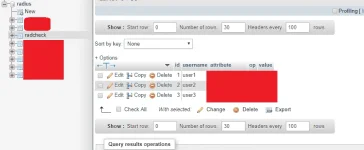
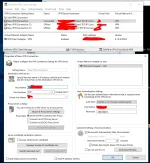
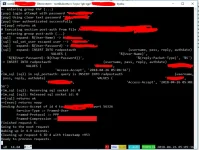
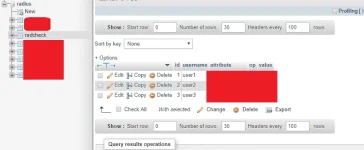
Madali lang yan hehe, meron namang tutorial sa internet pag sama samahin mo langsir ituturo ko sayo buong proseso ng smart no load activation, ituro mo din saken yan paglink sa db using RADIUS AUTHENTICATION.
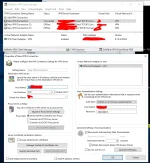
Mas komplikado pa yan sa radius eView attachment 363586
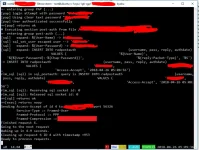
omg anu naman meron sa db mo boss pina conflict mo lang ang problema using radius
 simple pang yung sa radius direct na sa MySQL
Madali lang pala Softether Radius Authentication with MySQL as database xD