 PH
PHInstall openssh server on Debian 8
First update the apt source list using apt-get update command.
apt-get update
Then install the openssh server on debian using apt-get install command.
apt-get install openssh-server
Now start and enable the debian ssh server to start at system reboot.
systemctl start ssh.service
systemctl enable ssh.service
Also run netstat command to make sure that ssh port 22 is open and running.
netstat -tulnp | grep 22

You can view the status of the ssh server using systemctl command.
systemctl status ssh.service
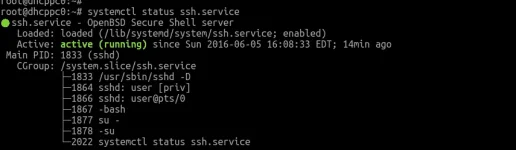
Done Enjoy
First update the apt source list using apt-get update command.
apt-get update
Then install the openssh server on debian using apt-get install command.
apt-get install openssh-server
Now start and enable the debian ssh server to start at system reboot.
systemctl start ssh.service
systemctl enable ssh.service
Also run netstat command to make sure that ssh port 22 is open and running.
netstat -tulnp | grep 22
You can view the status of the ssh server using systemctl command.
systemctl status ssh.service
Done Enjoy