 PH
PH

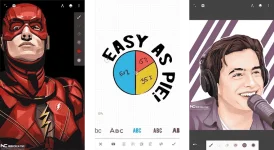

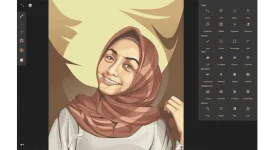
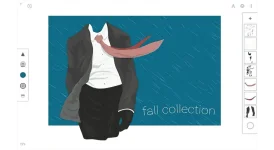
Rebuilt from the ground up: blazing fast, incredibly stable, with an improved interface.
An unparalleled experience
-Infinite canvas (pan, zoom, or rotate)
-Intuitive path editing
-Boolean operations
-Align and distribute objects
Superior tools
• Experiment with four types of symmetry
• Unlimited layers
• Unlimited undo with a history slider; scrub through from start to finish
• Easily construct shapes with the pen tool
• Draw 3D cityscapes with five different perspective guides
• Text tool: horizontal, vertical, circle, or text on path
Streamlined interface
• It’s simple. It’s organized. It’s out of the way.
• Move your favorite tools to the top bar for quicker access
• Drag out the color wheel with two fingers
Advanced features
• Transform tool: Translate, Scale, Rotate, Flip, Distort, and Skew
• Gradient and Pattern Fill
• Rotate and flip the canvas
• Automatic shape detection
• Grid for reference or snapping
Import and export
• Import and export SVG
• Add images from Gallery, Camera, or search the web
• Export images as JPEG, PNG, or SVG
• Share to Infinite Studio community or Instagram
• Search millions of colors, palettes, and patterns via ColourLovers
Artwork provided by:
Nubi Creative
Rey zilva Ardiansyah
Ales Sunarnov
Mad Matt
REQUIRES ANDROID
Varies with device
MOD INFO
ρáíd features Unlocked
AOSP Compatible
CHANGELOG
April 3 2018 update
- Fixed disappearing strokes in perspective
- Added tool tips (hover over an icon to display a tool tip)
- Added Properties to selection options to edit Size, Color or Opacity for multiple objects
- New options for Transfer tool in settings gear
- Dot grids
- Snap to Isometric grid
- Chromebook enhancements
DOWNLOAD LINKS - File size: 15.5mb
You do not have permission to view the full content of this post. Log in or register now.
You do not have permission to view the full content of this post. Log in or register now.
You do not have permission to view the full content of this post. Log in or register now.


