 PH
PHNeverTryM3
Enthusiast
Anti ban using permission
I think I have to make a thread for others to see..
Steps
1. GO TO YOUR ROS FOLDER..[MINE IS D:\Program Files\ros\]
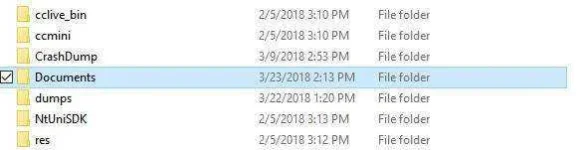
2. Right click on document folder > properties > security > edit permission and deny only the "Write" process on all users..
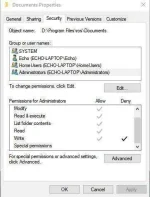
3. And you're done.
Been playing couple of games no jpg file in the docu folder.
Ps.
You have to remove the deny permission if there's an update and also set your game settings before doing the process.
I think I have to make a thread for others to see..
Steps
1. GO TO YOUR ROS FOLDER..[MINE IS D:\Program Files\ros\]
2. Right click on document folder > properties > security > edit permission and deny only the "Write" process on all users..
3. And you're done.
Been playing couple of games no jpg file in the docu folder.
Ps.
You have to remove the deny permission if there's an update and also set your game settings before doing the process.
