PH
PHrecykelbin
Fanatic
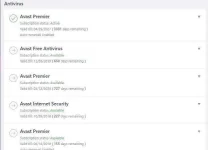
Avast Pro Premium 1 Year Key
BJ8Z9N-5MHL7J-4B44LE
BJ8Z9N-5MHL7J-4B44LE
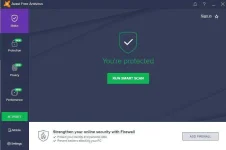
Master salamat sa tutorial..masubukan nga to...thank you....1. Launch the Avast interface. You can do this through the Start menu or by double-clicking the "Avast" tray icon on your taskbar.
2. Click the "Maintenance" tab at the top of the Avast window.
3. Click "Registration" from the Maintenance menu on the left side of the screen.
4. Click "Insert The License Key."
5. Enter your Avast license key in the field provided and click "OK.
May mga license file din si avast, yun dino double click na lang tapos automatic na.Master salamat sa tutorial..masubukan nga to...thank you....
 godbless po
Check mo sa settings hanapin mo yun registration repa, explore mo langSaan po dito boss??