L Liquid_Miracle- Enthusiast Mar 11, 2018 #1 Hello po sainyo. Ask ko lang po if saan po ba makikita yung mga post ko. Kung ilan na po yung mga na post ko.
Hello po sainyo. Ask ko lang po if saan po ba makikita yung mga post ko. Kung ilan na po yung mga na post ko.
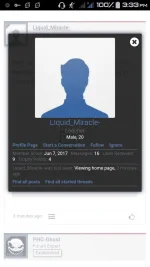
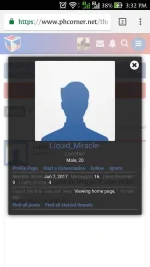
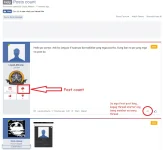
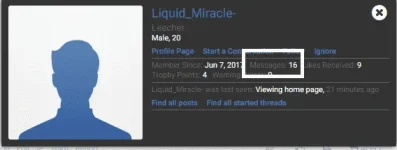
P PHC-Ghost Contributor Mar 11, 2018 #2 Click mo po yung username mo or check mo sa profile mo. Messages = Posts. Upvote 0 Downvote
N nutzy45 Forum Veteran Mar 11, 2018 #3 16 yung posts mo. Click on your profile at makita mo yung bilang dun. Upvote 0 Downvote
TS TS L Liquid_Miracle- Enthusiast Mar 11, 2018 #5 nutzy45 said: 16 yung posts mo. Click on your profile at makita mo yung bilang dun. Click to expand... thanks master. Yan PHC-Ghost said: View attachment 338872 Click mo po yung username mo or check mo sa profile mo. Messages = Posts. Click to expand... Thanks po. Yun po ba yung 16? Upvote 0 Downvote
nutzy45 said: 16 yung posts mo. Click on your profile at makita mo yung bilang dun. Click to expand... thanks master. Yan PHC-Ghost said: View attachment 338872 Click mo po yung username mo or check mo sa profile mo. Messages = Posts. Click to expand... Thanks po. Yun po ba yung 16?
P PHC-Ghost Contributor Mar 11, 2018 #6 Liquid_Miracle- said: thanks master. Yan Thanks po. Yun po ba yung 16? Click to expand... Yun na nga. Stay active lang and keep posting. Good luck. Feb 1, 2019 Upvote 0 Downvote
Liquid_Miracle- said: thanks master. Yan Thanks po. Yun po ba yung 16? Click to expand... Yun na nga. Stay active lang and keep posting. Good luck.
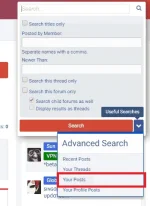
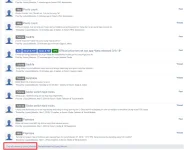
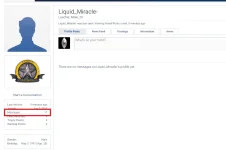
F Futility Forum Expert Mar 11, 2018 #8 Maraming pwedeng paraan: Para makita ang posts: Searchbar -> Click yung blue button na may arrow down icon -> Click "Your Posts". Clicking your username -> Click "Find all posts" Visiting your profile -> Under "postings" tab, click mo yung "Find all content by Liquid_Miracle" sa may ibaba. Para makita ang post count: Kapag thread starter ka: Yung first post sa thread, makikita mo doon na may speech baloon icon, sa baba nun may number; yun ang post count mo. Clicking your username -> meron diyang "messages"; yan yung post count din. Visiting your profile -> meron diyang "messages"; yan yung post count din. Upvote 0 Downvote
Maraming pwedeng paraan: Para makita ang posts: Searchbar -> Click yung blue button na may arrow down icon -> Click "Your Posts". Clicking your username -> Click "Find all posts" Visiting your profile -> Under "postings" tab, click mo yung "Find all content by Liquid_Miracle" sa may ibaba. Para makita ang post count: Kapag thread starter ka: Yung first post sa thread, makikita mo doon na may speech baloon icon, sa baba nun may number; yun ang post count mo. Clicking your username -> meron diyang "messages"; yan yung post count din. Visiting your profile -> meron diyang "messages"; yan yung post count din.
 PH
PH