PH
PHHi PH_Corner,
For all IOS User: Free Waterdrop VPN
How to setup SS for IOS (iphone,ipad)
Install the client. This is the app that you will be using to connect to our Shadowsocks server.
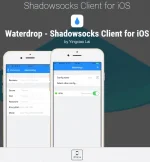
Install client at appstore or search Waterdrop VPN on appstore.
Below APP Logo:


For Free SS Account you can get it here: You do not have permission to view the full content of this post. Log in or register now.

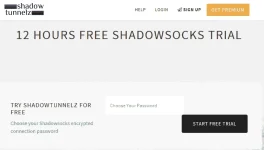
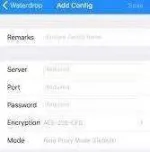
For Shadowsocks Account you need to create your own password and every 12 hours the Shadowsocks Account will be expired. So you need to create again and update your Waterdrop App.
What I suggest in creating a SS Account just use the same password you created.
Please take note that this VPN is not working if you are not registered to any promo (Internet).
But there are instance for some area and it works for them even they don't have data connections.
Thanks PHCorner.
Appreciate your feedbacks to this Thread.
Hope you Enjoy.
For all IOS User: Free Waterdrop VPN
How to setup SS for IOS (iphone,ipad)
Install the client. This is the app that you will be using to connect to our Shadowsocks server.
Install client at appstore or search Waterdrop VPN on appstore.
Below APP Logo:
For Free SS Account you can get it here: You do not have permission to view the full content of this post. Log in or register now.
For Shadowsocks Account you need to create your own password and every 12 hours the Shadowsocks Account will be expired. So you need to create again and update your Waterdrop App.
What I suggest in creating a SS Account just use the same password you created.
Please take note that this VPN is not working if you are not registered to any promo (Internet).
But there are instance for some area and it works for them even they don't have data connections.
Thanks PHCorner.
Appreciate your feedbacks to this Thread.
Hope you Enjoy.