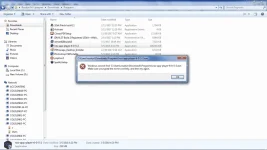
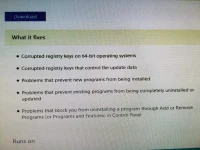
🔒 Closed Cant install any applications in my computer!!!

Status
Not open for further replies.
If ayaw,

Press windows key + R , then type regedit .

After maopen ng registry editor.

Punta ka sa directory na ito.

Code:
HKEY_LOCAL_MACHINE\Software\Microsoft\Windows NT\CurrentVersion\Image File Execution Options

Kung 64-bit ka eto ng registry location.

Code:
HKEY_LOCAL_MACHINE\Software\Wow6432Node\Microsoft\Windows NT\CurrentVersion\Image File Execution Options

Once mapuntahan mo yung directory na iyan,

Find "DllNXOptions" & "IEInstall.exe" and delete the registry file.

Make sure drag and drop the two registry files , as a backup.
 
Status
Not open for further replies.

About this Thread

  • 21
    Replies
  • 673
    Views
  • 8
    Participants
Last reply from:
sin of dragon

Trending Topics

Online now

Members online
346
Guests online
1,322
Total visitors
1,668

Forum statistics

Threads
2,292,325
Posts
29,076,048
Members
1,210,284
Latest member
cio
Back
Top