PH
PHpaoloaztig
Merry Christmas !!!
Magandang Gabi mga Kaibigan !!!
Share ko itong mabilis at matulin na Ktr config para sa Tnt !!!
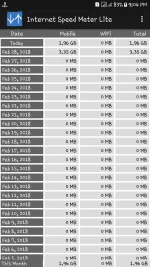
2 - 4.5 Capping per day (Hindi ko alam ang dahilan kung bakit hindi fixed ang data capping nya).
May ibang nagclaim na no capping daw sa kanila pero sa experience ko, hanggang 4.5 gb lang pinakamataas na naabot ko. Try nyo lang po ...
Promo: WHATS10 send to 4545
Good for 3 Days Promo Only
You do not have permission to view the full content of this post. Log in or register now. - new (updated: 3/4/18)
paoloaztig-phc-tnt-v1.1.ktr
Sg-Xtra Server/Expiry Date: March 10, 2018
You do not have permission to view the full content of this post. Log in or register now.
paoloaztig-phc-tnt-v1.0.ktr
Sg-Xtra Server/Expiry Date: March 7, 2018
Eto po yung paraan kung paano i-import ang ktr config sa KPN Tunnel Revolution app ...
1. Open your Kpn Tunnel Rev app and press/tap the 3 small dots at the upper right part.
2. Press/tap Config Options.
3. Press/tap Import
4. Press/tap or choose the ktr config file to be imported.
5. After you have imported the ktr config press/tap Settings (the three lines beside the 3 small dots)
6. Check Ssh Tunnel then press to proceed to Ssh Settings.
7. At the Ssh Settings scroll down and Check Data Compression and Custom DNS.
8. Back to main page/panel of the Kpn Rev app and press start !!!
Good Luck and Enjoy !!!

Share ko itong mabilis at matulin na Ktr config para sa Tnt !!!
2 - 4.5 Capping per day (Hindi ko alam ang dahilan kung bakit hindi fixed ang data capping nya).
May ibang nagclaim na no capping daw sa kanila pero sa experience ko, hanggang 4.5 gb lang pinakamataas na naabot ko. Try nyo lang po ...
Promo: WHATS10 send to 4545
Good for 3 Days Promo Only
You do not have permission to view the full content of this post. Log in or register now. - new (updated: 3/4/18)
paoloaztig-phc-tnt-v1.1.ktr
Sg-Xtra Server/Expiry Date: March 10, 2018
You do not have permission to view the full content of this post. Log in or register now.
paoloaztig-phc-tnt-v1.0.ktr
Sg-Xtra Server/Expiry Date: March 7, 2018
Eto po yung paraan kung paano i-import ang ktr config sa KPN Tunnel Revolution app ...
1. Open your Kpn Tunnel Rev app and press/tap the 3 small dots at the upper right part.
2. Press/tap Config Options.
3. Press/tap Import
4. Press/tap or choose the ktr config file to be imported.
5. After you have imported the ktr config press/tap Settings (the three lines beside the 3 small dots)
6. Check Ssh Tunnel then press to proceed to Ssh Settings.
7. At the Ssh Settings scroll down and Check Data Compression and Custom DNS.
8. Back to main page/panel of the Kpn Rev app and press start !!!
Good Luck and Enjoy !!!