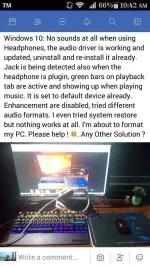
T The_Plunderer Eternal Poster Feb 24, 2018 #1 Paki read nalang po yung pic. Nagpapatulong kasi yung cousin ko eh. May solution po ba? Maliban sa reformat. Thanks sa makakatulong
Paki read nalang po yung pic. Nagpapatulong kasi yung cousin ko eh. May solution po ba? Maliban sa reformat. Thanks sa makakatulong
S Shinsuke Nishizono Wimpy Kid Feb 24, 2018 #2 Hindi niya ini-try yung headphones niya sa jack properties? Fron example : Nadetect as a speaker yung headphone , so sa audio control panel , meron green label na circle doon. Right click then click connector retasking. Then change sa head phones. Upvote 0 Downvote
Hindi niya ini-try yung headphones niya sa jack properties? Fron example : Nadetect as a speaker yung headphone , so sa audio control panel , meron green label na circle doon. Right click then click connector retasking. Then change sa head phones.
F Funyarinpa Forum Guru Feb 24, 2018 #3 meron ba silang spare headphones? baka sa headphone ang problema at hindi sa pc... Upvote 0 Downvote
L lukz16 Forum Veteran Feb 24, 2018 #4 try mo lipat sa mic-in or line-in din go to Audio manager right mo yung mic-in/line-in depande san mo nilipat click connector retasking din select headphone Upvote 0 Downvote
try mo lipat sa mic-in or line-in din go to Audio manager right mo yung mic-in/line-in depande san mo nilipat click connector retasking din select headphone
 PH
PH