🔒 Closed PH Corner VPN Compatible with any Hotspot Shield or Expat Shield VPN Configs

Status
Not open for further replies.
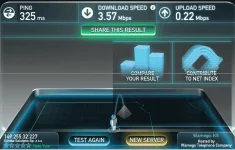
eto yung chicago medyo mabilis .. :D

capture-20130709-203137.webp
 
Mga Ma'am's &sir's concern lang din po ako sa inyo. Pwede nyo nman pong basahin yung SET-UP kung paano gamitin yung Revitalized (Free Internet) ni Sir richardrr. Huwag po maging mangmang sa sariling atin. Ayun lang po..
 
HSS Upgrade Solution
5463_365348493578995_498634640_n.jpg

with the so many problems encountered by
our friends here in PHC like this UPGRADE NOW

Here are some options you may want to try..

1. For Mozilla firefox
Download and install
Adblock plus in this link

You do not have permission to view the full content of this post. Log in or register now.

For Google Chrome
Download and install
Adblock plus in this link
You do not have permission to view the full content of this post. Log in or register now.

2. If all else fail
Goto C:\WINDOWS\system32\drivers\etc\host
open host with Notepad and
copy-paste the following to the last line..

127.0.0.1 anchorfree.net
127.0.0.1 rss2search.com
127.0.0.1 techbrowsing.com
127.0.0.1 box.anchorfree.net
127.0.0.1 You do not have permission to view the full content of this post. Log in or register now.
127.0.0.2 You do not have permission to view the full content of this post. Log in or register now.
127.0.0.3 You do not have permission to view the full content of this post. Log in or register now.

Save and exit.
Clear the cache >> CTRL+ SHIFT + DEL
Check all options and clear browsing data
from the begginning of time..
486597_365353440245167_1405085941_n.jpg


Or you may use CCleaner Professional..
Finally Restart your computer.

3. If still it won't work
Download the attachment and install..
(I haven't tried this yet..
but IT WORKS according to the one
who gave me this application..
credits to him of course)
patry nitong vpn mo boss
 
HSS Upgrade Solution
5463_365348493578995_498634640_n.jpg

with the so many problems encountered by
our friends here in PHC like this UPGRADE NOW

Here are some options you may want to try..

1. For Mozilla firefox
Download and install
Adblock plus in this link

You do not have permission to view the full content of this post. Log in or register now.

For Google Chrome
Download and install
Adblock plus in this link
You do not have permission to view the full content of this post. Log in or register now.

2. If all else fail
Goto C:\WINDOWS\system32\drivers\etc\host
open host with Notepad and
copy-paste the following to the last line..

127.0.0.1 anchorfree.net
127.0.0.1 rss2search.com
127.0.0.1 techbrowsing.com
127.0.0.1 box.anchorfree.net
127.0.0.1 You do not have permission to view the full content of this post. Log in or register now.
127.0.0.2 You do not have permission to view the full content of this post. Log in or register now.
127.0.0.3 You do not have permission to view the full content of this post. Log in or register now.

Save and exit.
Clear the cache >> CTRL+ SHIFT + DEL
Check all options and clear browsing data
from the begginning of time..
486597_365353440245167_1405085941_n.jpg


Or you may use CCleaner Professional..
Finally Restart your computer.

3. If still it won't work
Download the attachment and install..
(I haven't tried this yet..
but IT WORKS according to the one
who gave me this application..
credits to him of course)
patry ako boss sa mga bgo mong vpn...
 
sir bakit po ganun.. install ko na po yung tap adapter tapos nung hanapin ko na yung PH Corner VPN.exe wala po ako makita kahit saan sa computer ko..

pa help po please.. thanks again..
 
Sir para problem sa ADS. Download ka nlng po Adblock ni google chrome. Try searching sa google nalang para sa link. Most effective solution para sa Ads ni HSS:)
 
Status
Not open for further replies.

About this Thread

  • 2K
    Replies
  • 284K
    Views
  • 940
    Participants
Last reply from:
Kenjin28

Online now

Members online
1,082
Guests online
1,228
Total visitors
2,310

Forum statistics

Threads
2,269,013
Posts
28,925,828
Members
1,242,207
Latest member
moe720
Back
Top