 PH
PH-
Welcome to PHCorner Forums! Sign up for free to unlock full access and exclusive privileges, including:
- Asking questions about computer and mobile issues
- Discovering internet tips for your mobile network and computer
You are using an out of date browser. It may not display this or other websites correctly.
You should upgrade or use an alternative browser.
You should upgrade or use an alternative browser.
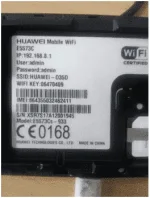
❓ Help Need ko tulong ninyo open line my pockit wifi
- Status
- Not open for further replies.
Garrygamboa1984
Leecher
yes ned ko lang yung imei,tapos ko send ko yung code,150 lang po yung codepwde na po ba to ma open line sir?
Garrygamboa1984

Garrygamboa1984
Leecher
unlock code 49208657wala naman akong pambayad sir.
Garrygamboa1984
Leecher
paano ginawa u?lagay u sim smart p.wifi tapos log in ka,tapos hihingi ng code,enter u yung bgay ko sayo code
Garrygamboa1984
Leecher
Unlocking Procedure
1. Insert Smart, TNT or Sun Sim into your Globe Huawei Pocket WiFi.
2. Open your internet browser, Chrome or Firefox, and enter You do not have permission to view the full content of this post. Log in or register now. or You do not have permission to view the full content of this post. Log in or register now. (sometimes it will open itself).
3. Navigate to ADVANCE SETTINGS > SIM SETTINGS > UNLOCK DEVICE
An input box will appear asking you to enter the unlock code. Enter now the 8-digit UNLOCK CODE
4. Click on APPLY.
5. If there's no other error, and your pocket wifi modem is receiving signal, you are DONE! Your Globe Huawei Pocket WiFi is successfully unlocked
1. Insert Smart, TNT or Sun Sim into your Globe Huawei Pocket WiFi.
2. Open your internet browser, Chrome or Firefox, and enter You do not have permission to view the full content of this post. Log in or register now. or You do not have permission to view the full content of this post. Log in or register now. (sometimes it will open itself).
3. Navigate to ADVANCE SETTINGS > SIM SETTINGS > UNLOCK DEVICE
An input box will appear asking you to enter the unlock code. Enter now the 8-digit UNLOCK CODE
4. Click on APPLY.
5. If there's no other error, and your pocket wifi modem is receiving signal, you are DONE! Your Globe Huawei Pocket WiFi is successfully unlocked
- Status
- Not open for further replies.
About this Thread
-
14Replies
-
637Views
-
2Participants
Last reply from:
Garrygamboa1984
Garrygamboa1984
New Topics
-
PRIME VIDEO ACCOUNT PASABIT POO TY
- Started by Maddave00
- Replies: 0
- ❓ Internet Questions
-
200-300M ISP to AP
- Started by F-Society
- Replies: 6
- ❓ Internet Questions
-
ZLT X20 Superadmin
- Started by zSatoru Gojo
- Replies: 0
- ❓ Internet Questions
-
Pa help ano dapat config sa zte f670L
- Started by awtsa1
- Replies: 2
- ❓ Internet Questions
-
System Deployment Help
- Started by itsheshhhh
- Replies: 7
- ❓ Internet Questions
-
From s2s 799 to Bida Fiber 888 (8 user limit help)
- Started by AMDG
- Replies: 0
- ❓ Internet Questions
-
CASHG pa help po
- Started by Secret Weapon
- Replies: 0
- ❓ Internet Questions
-
PISOFI DROP SPEED
- Started by Exclamatory
- Replies: 0
- ❓ Internet Questions
-
Error code 83 on disney plus
- Started by Casio991es11
- Replies: 1
- ❓ Internet Questions
Trending Topics
Online now
- Members online
- 356
- Guests online
- 5,162
- Total visitors
- 5,518