D DaisukiAtom Elite Feb 3, 2018 #2 try to install the driver first tapos try mo lipat yung mouse mo sa ibang saksakan Upvote 0 Downvote
P PHC-MrKira Elite Feb 3, 2018 #3 check mo po ung chord nya baka sira na po at maluwag. check mo rin po ang port. if possible test mo ang mouse sa laptop or sa ibang computer Upvote 0 Downvote
check mo po ung chord nya baka sira na po at maluwag. check mo rin po ang port. if possible test mo ang mouse sa laptop or sa ibang computer
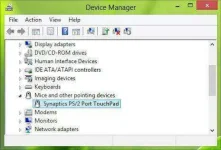
M menin Established Feb 3, 2018 #4 Punta ka device manager if ever na detect yung mouse disable mo lang at enable mo ulit pero pag hardware issue na talaga palitan mo nalang ng mouse try to re check also yung cable if naka salpak siya ng maayos. Upvote 0 Downvote
Punta ka device manager if ever na detect yung mouse disable mo lang at enable mo ulit pero pag hardware issue na talaga palitan mo nalang ng mouse try to re check also yung cable if naka salpak siya ng maayos.
C courageous Journeyman Feb 3, 2018 #5 CHECK KUNG ung mouse may sira then disable enable lng driver for mouse then restart mo Upvote 0 Downvote
Y yokzkidbest Forum Veteran Feb 3, 2018 #6 Laptop? Mouse cursor ba yan?Try pressing FN sa keyboard plus F6 ata yun bout sa mouse pad. Upvote 0 Downvote
 PH
PH