 PH
PH-
Welcome to PHCorner Forums! Sign up for free to unlock full access and exclusive privileges, including:
- Asking questions about computer and mobile issues
- Discovering internet tips for your mobile network and computer
You are using an out of date browser. It may not display this or other websites correctly.
You should upgrade or use an alternative browser.
You should upgrade or use an alternative browser.
🔒 Closed Laging nag kaka shortcut virus kapag sinasaksak ko sa pc
- Thread starter Katelene
- Start date
- Status
- Not open for further replies.
Syntax Error
Fanatic
Format mo nayan
DarkSpawner
Enthusiast
May virus yang pc po... Repair na bago lumala...
Miss Flosie _ 69
Contributor
yung pc po may problem dahil yun yung may virus 
D
Deleted member 572113
Mahirap tanggalin yang shortcut virus
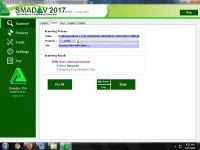
Smadav pro antivirus
You do not have permission to view the full content of this post. Log in or register now.
You do not have permission to view the full content of this post. Log in or register now.

USB SHOW-UNHIDE
Download here
You do not have permission to view the full content of this post. Log in or register now.
USB Show will help you to view the files, which by some virus or person were hidden.
We recommend making a backup of your device after you have recovered the lost files.
USB Show can be used on any removable storage device.
RECOMMENDATIONS:
* After recover your files please scan these with an antivirus program.
* USB Show recovers all hidden files, possibly some malware and this is why it should be used with caution.
* USB Show can be used on hard disks or removable disks.
* Before you can recover your files it is recommended that the system should be scanned for malware.
Download here
You do not have permission to view the full content of this post. Log in or register now.
USB Show will help you to view the files, which by some virus or person were hidden.
We recommend making a backup of your device after you have recovered the lost files.
USB Show can be used on any removable storage device.
RECOMMENDATIONS:
* After recover your files please scan these with an antivirus program.
* USB Show recovers all hidden files, possibly some malware and this is why it should be used with caution.
* USB Show can be used on hard disks or removable disks.
* Before you can recover your files it is recommended that the system should be scanned for malware.
USB SHOW-UNHIDE
Download here
You do not have permission to view the full content of this post. Log in or register now.
USB Show will help you to view the files, which by some virus or person were hidden.
We recommend making a backup of your device after you have recovered the lost files.
USB Show can be used on any removable storage device.
RECOMMENDATIONS:
* After recover your files please scan these with an antivirus program.
* USB Show recovers all hidden files, possibly some malware and this is why it should be used with caution.
* USB Show can be used on hard disks or removable disks.
* Before you can recover your files it is recommended that the system should be scanned for malware.
Download here
You do not have permission to view the full content of this post. Log in or register now.
USB Show will help you to view the files, which by some virus or person were hidden.
We recommend making a backup of your device after you have recovered the lost files.
USB Show can be used on any removable storage device.
RECOMMENDATIONS:
* After recover your files please scan these with an antivirus program.
* USB Show recovers all hidden files, possibly some malware and this is why it should be used with caution.
* USB Show can be used on hard disks or removable disks.
* Before you can recover your files it is recommended that the system should be scanned for malware.
DARKWING10
Eternal Poster
turn off nyo lang po yung auto play sa control panel. para di po mabilis kumalat yung worms.
DARKWING10
Eternal Poster
infected na po yung machine na gamit nyo.
First is e show mo muna ang hidden folders punta ka sa
control panel
folder options
view
show hidden files and folders
uncheck mo Hide Protected Operating system files
then Control+alt delete
lalabas ang Task Manager sa Process
makikita mo ang Virus don.
minsan kasi naka disguise yun
as a system file pero pag open file location mo
ma pupunta ka sa folder na parang chinese
or like d maintindihan na hidden file. like
dfgsdfe parang ganun po.
or you can manually find the virus
check mo lang dito
Users then computer name App data Roaming
or sa Program data
ito ung kadalasan na location ng virus
pag nakita mo na malalaman mo na virus yan kasi ung name is hindi readable. and may kasamang file na virus din.
rename mo muna bago mo e delete para pag end process mo
sa task manager hindi mag re restart ang PC mo.
One last tip.
Disable mo ang AutoPlay
punta ka sa control panel
then uncheck mo ung use autoplay for all media devices.
or if d mo to magawa
try mo attrib command
open cmd
then
type mo ung location letter ng flasdrive mo
e=flashdrive
e: (enter)
attrib -s -h /s /d (enter)
wait mo lang na lalabas ung e: ulit
pag lumabas na okay na nka show na ang mga file mo.
control panel
folder options
view
show hidden files and folders
uncheck mo Hide Protected Operating system files
then Control+alt delete
lalabas ang Task Manager sa Process
makikita mo ang Virus don.
minsan kasi naka disguise yun
as a system file pero pag open file location mo
ma pupunta ka sa folder na parang chinese
or like d maintindihan na hidden file. like
dfgsdfe parang ganun po.
or you can manually find the virus
check mo lang dito
Users then computer name App data Roaming
or sa Program data
ito ung kadalasan na location ng virus
pag nakita mo na malalaman mo na virus yan kasi ung name is hindi readable. and may kasamang file na virus din.
rename mo muna bago mo e delete para pag end process mo
sa task manager hindi mag re restart ang PC mo.
One last tip.
Disable mo ang AutoPlay
punta ka sa control panel
then uncheck mo ung use autoplay for all media devices.
or if d mo to magawa
try mo attrib command
open cmd
then
type mo ung location letter ng flasdrive mo
e=flashdrive
e: (enter)
attrib -s -h /s /d (enter)
wait mo lang na lalabas ung e: ulit
pag lumabas na okay na nka show na ang mga file mo.
ArchAngel0031
Fanatic
format na talaga yan
- Status
- Not open for further replies.
About this Thread
-
22Replies
-
840Views
-
17Participants
Last reply from:
rockersjie
rockersjie
New Topics
-
ESET Smart Security Premium #18
- Started by ChuckY DolL
- Replies: 2
- 🔐 Cybersecurity & Privacy
-
ESET Smart Security Premium #17
- Started by ChuckY DolL
- Replies: 3
- 🔐 Cybersecurity & Privacy
-
Open Season for Digital Privateering
- Started by Well1AmNichtDiePerson
- Replies: 0
- 🔐 Cybersecurity & Privacy
-
May Website na Naka-PHP? I-update Agad (NSA Advisory)
- Started by 4 0 4
- Replies: 6
- 🔐 Cybersecurity & Privacy
-
Need help accessing old Gmail Account willing to PAY
- Started by nradexuz619
- Replies: 1
- 🔐 Cybersecurity & Privacy
-
Trojan Remover 6.9.6.2996
- Started by acervergel87
- Replies: 1
- 🔐 Cybersecurity & Privacy
-
Need help, someone used my gmail for an Apple account ID
- Started by Graeselle
- Replies: 0
- 🔐 Cybersecurity & Privacy
-
May nakapagtry na ba dito ng Artcraft Apps?
- Started by Chainsaw-Man
- Replies: 3
- 🔐 Cybersecurity & Privacy
-
NORTON 360 KEYS + VPN - 1 YEAR [10x]
- Started by papabanana
- Replies: 4
- 🔐 Cybersecurity & Privacy
-
ESET Smart Security Premium #16
- Started by ChuckY DolL
- Replies: 2
- 🔐 Cybersecurity & Privacy
Trending Topics
Online now
- Members online
- 1,093
- Guests online
- 13,923
- Total visitors
- 15,016