 PH
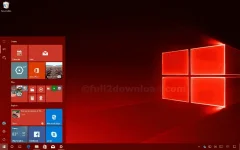
PHWindows 10 REDSTONE 3 64 BIT
Information
Grades: 10/10
Performance: 10
Graphics: 10
Startup: 10
LINK: DOWNLOAD
(PASSWORD "You do not have permission to view the full content of this post. Log in or register now.")
TOOL LINK:You do not have permission to view the full content of this post. Log in or register now.You do not have permission to view the full content of this post. Log in or register now.
WINDOW RELOADER: You do not have permission to view the full content of this post. Log in or register now. (IF NEEDED)
INSTALLATION
Non Grub: You do not have permission to view the full content of this post. Log in or register now.
5. Restart your computer
Information
- File size: 4.1 GB
- Offline installer/Standalone
- Last Release October 17, 2016
- 2GB RAM MINIMUM
- 4 GB RAM RECOMMENDED
- 16GB Hard Disk Space
- Intel Core dou - Higher
Grades: 10/10
Performance: 10
Graphics: 10
Startup: 10
LINK: DOWNLOAD
(PASSWORD "You do not have permission to view the full content of this post. Log in or register now.")
TOOL LINK:You do not have permission to view the full content of this post. Log in or register now.You do not have permission to view the full content of this post. Log in or register now.
WINDOW RELOADER: You do not have permission to view the full content of this post. Log in or register now. (IF NEEDED)
INSTALLATION
- Plugin your USB
- Open Rufus
- Select Flash drive Device
- Create a bootable disk using [ISO]
- Refer here
- Locate the ISO file
- Refer here
- Click Start
- Restart Your Computer
- Press F12 or F8 to boot to your Flash Drive (Depends on your Computer)
- Select your USB DEVICE by Pressing Arrow Up or Down
- Enter
- Install it


Non Grub: You do not have permission to view the full content of this post. Log in or register now.
- Burn Kali Linux
- Press F12 or F8 and boot your USB Device
- Choose Live
- Open Terminal and Type the following
Code:fdisk -l [*]Select SDA where you installed your Linux, change # and put the number sudo mount /dev/sda# /mnt [*]NEXT sudo mount --bind /dev /mnt/dev sudo mount --bind /proc /mnt/proc sudo mount --bind /sys /mnt/sys sudo chroot /mnt grub-install /dev/sda Press CTRL+D sudo umount /mnt/dev sudo umount /mnt/proc sudo umount /mnt/sys sudo umount /mnt
5. Restart your computer