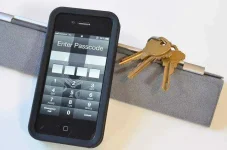
🍏 iOS Ios 6.1 häçk/bypass iphone lock screen

Status
Not open for further replies.

Causing Glenn

echo
Contributor
iOS+6.1+häçk+allows+iPhone+lock+screen+bypass.webp


Steps to follow:

First part:

-Go to emergency call, push down the power button and tap cancel.

-Dial 112 and tap green and inmediately red.

-Go to lock screen.

Ok...ready for second part:

-Go to passcode screen.

-Keep pushing down the power button ...1...2...3...seconds and before showing the slider "turn off"...tap the emergency call button and ...voila!

-Then without releasing the power button press the home button and ready...


Dear Causing Glenn,

Since 1 year has passed since the last reply in this thread, I am locking it to prevent necroposting. Feel free to start a new thread or contact any forum staff if you want this to be reopened.

Thread closed.
 
Status
Not open for further replies.

About this Thread

  • 2
    Replies
  • 1K
    Views
  • 2
    Participants
Last reply from:
Unknown user

Online now

Members online
496
Guests online
1,023
Total visitors
1,519

Forum statistics

Threads
2,280,311
Posts
28,996,494
Members
1,226,708
Latest member
YellowStone13
Back
Top