 PH
PH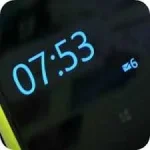
Glance Plus is designed for this propose, it shows some basic info in black screen when you waving your hand over proximity sensor or cover promixity sensor.
How to use this app:
1. Open Glance Plus, start service (press green start button)
2. Wave hand over proximity sensor 2 times OR just take out your phone from pocket

3. To weak up your phone, double click or long press on screen
4. To turn off glance screen just press power button
Some settings:
– Change font size, font color
– Enable/disable showing notification, weather..
– Change clock style (digital, analog)
– Change display position of info on screen
WHAT’S NEW
– Support Bahasa Indonesia (Thanks Prasetya Totti Psychadelic)
– Fix bug Do not disturb
– Add guides for some devices to make the app more stable
MOD:
Languages: English, Russian.
Require 4.1+
Optimized graphics / Zipalign.
Link Download:
Apk: You do not have permission to view the full content of this post. Log in or register now.
~Asianism