🔒 Closed Gtm ovpn config for pc- gs/promo based

Server suggestions or request


  • Total voters
    27
Status
Not open for further replies.

empeesy

Fanatic
Updated 12/18/17 no more PLC :)
OVPN portable
You do not have permission to view the full content of this post. Log in or register now.

30days server soon to release ^_^
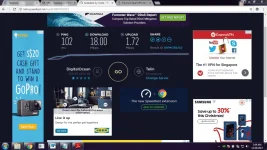
upload_2017-12-20_2-45-59.webp


next step - register an account for the ovpn config -
SG-Xmas 1
You do not have permission to view the full content of this post. Log in or register now.

SG-Xmas 2
You do not have permission to view the full content of this post. Log in or register now.


SG-Xmas 3
You do not have permission to view the full content of this post. Log in or register now.


SG-Xmas 4
You do not have permission to view the full content of this post. Log in or register now.


Once you're done creating an account download this .ovpn file - (each config names corresponds to the servers given above.)
You do not have permission to view the full content of this post. Log in or register now.


ilagay niyo yung .ovpn file sa loob ng folder ng - smart luzon openvpn\data\config

now try to connect :) Happy gaming/surfing


PS. hi ping ibang region nag uupdate kasi si DOTA2 ^_^
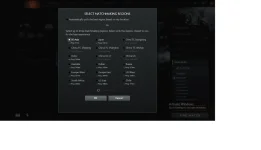
upload_2017-12-13_17-3-40.webp

Credits to the following moderators etc. PesteM DiabolicaE
SpecTro_MaXx
owing777
and others :)

follow this thread to create your own OVPN and PLC configs :)
https://phcorner.org/threads/plc-ovpn-method-for-bugbog.461122/
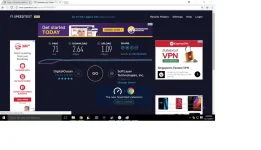
 

Attachments

  • upload_2017-12-13_17-3-11.webp
    upload_2017-12-13_17-3-11.webp
    67 KB · Views: 6
question boss yung ilalagay ba dito
openvpn\data\config yung ginawang account? or yung after gumawa ng account sa baba na link
 
kailangan bang lagyan pa ng config yung shh?
Wala ka na pong configuration na gagawin,
Import lang bawat files
Import the .plchi dun sa PLC na application
Click lang yung kulay green na button sa plc to start

Then ilagay lang yung .ovpn file dun sa loob ng config folder.
Then connect mang hihingi yan ng username and password
 
boss i need help pag nag hotspot cp ko tapos cconect si laptop nakalgay no internet paano po iffix un tapos may lumabas na surf alert sa laptop google chrome
 
Wala ka na pong configuration na gagawin,
Import lang bawat files
Import the .plchi dun sa PLC na application
Click lang yung kulay green na button sa plc to start

Then ilagay lang yung .ovpn file dun sa loob ng config folder.
Then connect mang hihingi yan ng username and password


thanks boss, i will try it now xD hehe
 
boss restart lang ng restart.. :D
wifi gamit. pano malalaman kung connected na? xD
pasenya newbiew :D

ed Dec 13 18:30:37 2017 Connection reset, restarting [0]
Wed Dec 13 18:30:37 2017 SIGUSR1[soft,connection-reset] received, process restarting
Wed Dec 13 18:30:37 2017 Restart pause, 5 second(s)
Wed Dec 13 18:30:42 2017 WARNING: No server certificate verification method has been enabled. See You do not have permission to view the full content of this post. Log in or register now. for more info.
Wed Dec 13 18:30:42 2017 NOTE: --fast-io is disabled since we are running on Windows
Wed Dec 13 18:30:42 2017 TCP/UDP: Preserving recently used remote address: [AF_INET]127.0.0.1:3129
Wed Dec 13 18:30:42 2017 Socket Buffers: R=[65536->65536] S=[65536->65536]
Wed Dec 13 18:30:42 2017 Attempting to establish TCP connection with [AF_INET]127.0.0.1:3129 [nonblock]
Wed Dec 13 18:30:42 2017 TCP connection established with [AF_INET]127.0.0.1:3129
Wed Dec 13 18:30:42 2017 Send to HTTP proxy: 'CONNECT vpn-sg3.vpnjantit.com:443 HTTP/1.0'
Wed Dec 13 18:30:42 2017 Send to HTTP proxy: 'Host: vpn-sg3.vpnjantit.com'
Wed Dec 13 18:30:42 2017 HTTP proxy returned: 'HTTP/1.1 200 OK'
Wed Dec 13 18:30:43 2017 TCP_CLIENT link local: (not bound)
Wed Dec 13 18:30:43 2017 TCP_CLIENT link remote: [AF_INET]127.0.0.1:3129
Wed Dec 13 18:30:43 2017 Connection reset, restarting [0]
Wed Dec 13 18:30:43 2017 SIGUSR1[soft,connection-reset] received, process restarting
Wed Dec 13 18:30:43 2017 Restart pause, 5 second(s)
Wed Dec 13 18:30:48 2017 WARNING: No server certificate verification method has been enabled. See You do not have permission to view the full content of this post. Log in or register now. for more info.
Wed Dec 13 18:30:48 2017 NOTE: --fast-io is disabled since we are running on Windows
Wed Dec 13 18:30:48 2017 TCP/UDP: Preserving recently used remote address: [AF_INET]127.0.0.1:3129
Wed Dec 13 18:30:48 2017 Socket Buffers: R=[65536->65536] S=[65536->65536]
Wed Dec 13 18:30:48 2017 Attempting to establish TCP connection with [AF_INET]127.0.0.1:3129 [nonblock]
Wed Dec 13 18:30:48 2017 TCP connection established with [AF_INET]127.0.0.1:3129
Wed Dec 13 18:30:48 2017 Send to HTTP proxy: 'CONNECT 139.59.225.199:443 HTTP/1.0'
Wed Dec 13 18:30:48 2017 Send to HTTP proxy: 'Host: 139.59.225.199'
Wed Dec 13 18:30:49 2017 HTTP proxy returned: 'HTTP/1.1 200 OK'
Wed Dec 13 18:30:50 2017 TCP_CLIENT link local: (not bound)
Wed Dec 13 18:30:50 2017 TCP_CLIENT link remote: [AF_INET]127.0.0.1:3129
Wed Dec 13 18:30:50 2017 Connection reset, restarting [0]
Wed Dec 13 18:30:50 2017 SIGUSR1[soft,connection-reset] received, process restarting
Wed Dec 13 18:30:50 2017 Restart pause, 5 second(s)
 
Status
Not open for further replies.

About this Thread

  • 157
    Replies
  • 9K
    Views
  • 91
    Participants
Last reply from:
VDJA

Online now

Members online
1,006
Guests online
1,315
Total visitors
2,321

Forum statistics

Threads
2,272,381
Posts
28,942,309
Members
1,237,166
Latest member
mc123
Back
Top