 PH
PH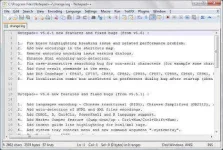
Recent Notepad ++ 7.5.3 Final is one of the best software that you can use to edit the source code very easily and quickly also can be downloaded for free of course in gigapurbalingga. Your users crack software or often play with source code, of course, requires an application that you can use to edit the file. If you use a regular notepad you will not be able to edit source code file, therefore you should download and install Notepad ++ Recentso you can edit the source code file, for example hosts.file and many others.
Recent Notepad ++ is the latest version of Notepad ++ with fixes some bugs are still present in the previous version. This software supports many programming languages and is accompanied by a wide range of interesting features, among which are separate and edit the source code that is so, syntax highlighting, edit many files at once, and still banya more.What are you waiting, soon you download Notepad ++ this Final now and edit your sources easily and quickly.
What's New:
Add new languages support: ASN.1, AviSynth, Blitz Basic, Csound, Erlang, escript, Forth, freebasic, LaTeX, MMIX, Nimrod, nnCron, OScript, PureBasic, Rebol, registry, Rust, SPICE, txt2tagsAdd "Open the file in its default viewer" command.Add "-quickPrint" command line argument: Launch Notepad ++, print the document and exit.Add / noUpdater argument for the installer to not install the updater (useful in silent mode).Add new installer argument / allowAppDataPluginsLoading.Roll back to 1 "Find next" button in the Find / Replace dialog, due to the inconsistence after removal of direction option.Enhancement: empty fields "Replace with" and "Filters" of the Find / Replace dialog are remembered in the next session.Fix text selection in combo boxes of find / replace dialog problem on resizing.Fix the issue of passing non-exist folder via the command line without any warning.Fix multi-line tab button issue remaining pushed while switching off.Fix wired TAB key behavior on the find / replace dialog's transparency radio button.Fix click on the tab without hitting the close button issue but close file.Fix Notepad ++ issue modifying the command line arguments (command line arguments could be visualized by the system tools).Fix file not dirty while its content changed on the hard drive.Fix duplicated files saved in the same view issue.Fix "Folder as Workspace" toolbar button not activated after dropping folders issue.
Some features of Notepad ++ Final
Ability to open multiple files in one window and not call them by opening the software againDisplay the command syntax of programming languages, different colorAbility to view, edit multiple documents and text files simultaneouslyIncluding support multiple languages Farsi Menu SoftwareRegular search and replace text featureAbility to zoom in and zoom out on the textSupport for Programming LanguagesSupports the ability to BookmarkHaving a WYSIWYG editor.Macro Recording and RunningCompatibility with a variety of windowsLow volume applicationFix JavaScript block Not Recognized in the HTML document.Fix Hanging on exit of Notepad ++ issue (update DSpellCheck for its instability issue).Add "Google Search" command in the context menu.
Link Download
Code:
32: http://www48.zippyshare.com/v/bgN4KyEu/file.html
64: http://www48.zippyshare.com/v/RUF68IS7/file.html
~Asianism