 PH
PHShare Kulang po mga ka PHC
sa mga gustong maka connect sa wifi ng kapit bahay nila oh kahit saan gamit ang wps wpa tester or wpsapp. .
basta wps or wpa sya . .
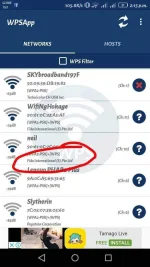
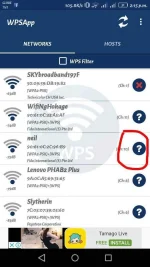
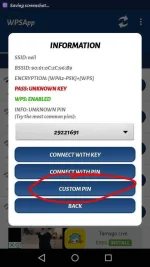
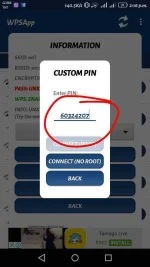
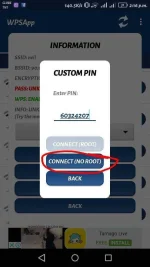
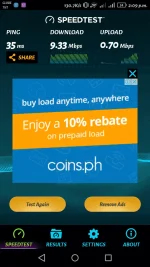
FOLLOW nyu lang yung picture Tutorial

link
wps wpa tester
You do not have permission to view the full content of this post. Log in or register now.
wpsapp
You do not have permission to view the full content of this post. Log in or register now.
sa mga gustong maka connect sa wifi ng kapit bahay nila oh kahit saan gamit ang wps wpa tester or wpsapp. .
basta wps or wpa sya . .
FOLLOW nyu lang yung picture Tutorial
link
wps wpa tester
You do not have permission to view the full content of this post. Log in or register now.
wpsapp
You do not have permission to view the full content of this post. Log in or register now.
Attachments
-
 received_613240549067015.webp81.1 KB · Views: 20
 -
 received_613240559067014.webp80.7 KB · Views: 20
 -
 received_613240572400346.webp58.5 KB · Views: 20
 -
 received_613240579067012.webp56.1 KB · Views: 19
 -
 received_613240669067003.webp53.9 KB · Views: 22
 -
 Screenshot_2017-12-03-14-09-27.webp113.8 KB · Views: 21