 PH
PHsa mga katulad kung PC/laptop user jan nkakapagod mag accept ng offer sa phone then tanggal then salpak sa modem/pocket wifi, ito sana makatulong. hindi ko alam kung may nakapagpost nito or nkashare nito. Anyway i just want to share
steps:
1. download and install nyo sa playstore yung huawie hi-link app
2. force stop and clear data mo muna si Globe switch then off your mobile data and on your wifi.
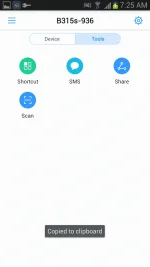
3.open mo na yong hi link app na nadownload mo. connect mo na sya automatic na madedetect nya modem/pocket wifi mo(see sample pic)

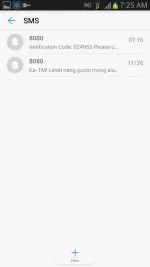
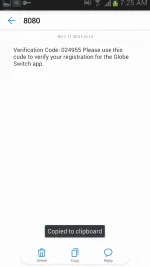
4.open G-switch then register ka untill sa verification code then minimize yung Gswitch,punta ka uli sa hi link app>Tools>SMS, dun mo marerecieve yong verfication code


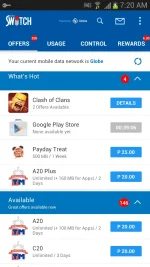
5.then balik uli gswitch input muna verfication code, hintayin nyo untill may marecieve or may magnotify na offer, then ayon meron na, accept na kayo offer


Note; as usual need 1 peso balance para maka accept ng offer, thank you sa lahat, nabasa ko lng itong app sa Facebook comment section then nagtry ako then ayon working pala kaya credits na lang sa kanya.
steps:
1. download and install nyo sa playstore yung huawie hi-link app
2. force stop and clear data mo muna si Globe switch then off your mobile data and on your wifi.
3.open mo na yong hi link app na nadownload mo. connect mo na sya automatic na madedetect nya modem/pocket wifi mo(see sample pic)
4.open G-switch then register ka untill sa verification code then minimize yung Gswitch,punta ka uli sa hi link app>Tools>SMS, dun mo marerecieve yong verfication code
5.then balik uli gswitch input muna verfication code, hintayin nyo untill may marecieve or may magnotify na offer, then ayon meron na, accept na kayo offer
Note; as usual need 1 peso balance para maka accept ng offer, thank you sa lahat, nabasa ko lng itong app sa Facebook comment section then nagtry ako then ayon working pala kaya credits na lang sa kanya.
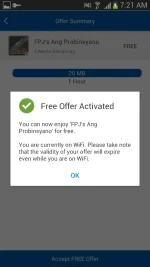
 eto talaga hinahanap ko .. maka accept ng offer kay gs without load . hehe