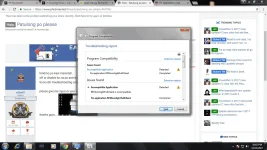
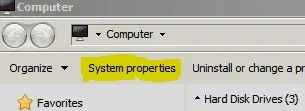
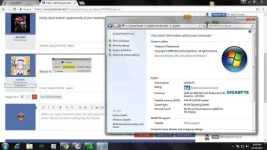
N nillas07 Enthusiast Nov 13, 2017 #1 hindi ko po kasi mainstall.... off or disable ko na po antivirus ko po... try ko din troubleshooting compatibility pero ayaw parin... kopya ko ang installer sa kaibigan ko... same OS and Bit... please give me input or your opinion... thanks guys.... Attachments troubleshooting compatibility 2.webp 95.6 KB · Views: 24 troubleshooting compatibility 3.webp 85.1 KB · Views: 22 troubleshooting compatibility.webp 98.6 KB · Views: 23 Nov 14, 2017
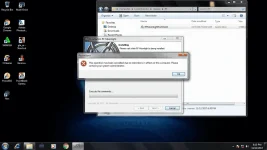
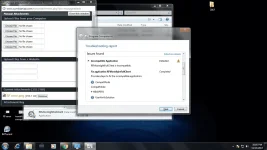
hindi ko po kasi mainstall.... off or disable ko na po antivirus ko po... try ko din troubleshooting compatibility pero ayaw parin... kopya ko ang installer sa kaibigan ko... same OS and Bit... please give me input or your opinion... thanks guys....
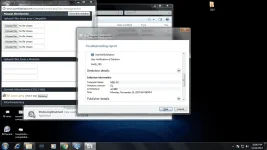
D d3c2000 Eternal Poster Nov 14, 2017 #21 kindly check system requirements of your installing. Upvote 0 Downvote
TS TS N nillas07 Enthusiast Nov 14, 2017 #23 d3c2000 said: kindly check system requirements of your installing. Click to expand... hindi po makikita ang system requirement niya po.... You do not have permission to view the full content of this post. Log in or register now. <<<<< eto po ang link... Upvote 0 Downvote
d3c2000 said: kindly check system requirements of your installing. Click to expand... hindi po makikita ang system requirement niya po.... You do not have permission to view the full content of this post. Log in or register now. <<<<< eto po ang link...
TS TS N nillas07 Enthusiast Nov 14, 2017 #24 Curlzxc said: dito po ts View attachment 282496 Click to expand... eto po ang SS po.... Upvote 0 Downvote
S sunnybear Established Nov 19, 2017 #25 compatibility mode right click si installer > 'Properties' > 'Compatibility' tab > Check box 'Run this program in compatibility mode for: Windows XP (Service Pack 2)' Upvote 0 Downvote
compatibility mode right click si installer > 'Properties' > 'Compatibility' tab > Check box 'Run this program in compatibility mode for: Windows XP (Service Pack 2)'