PH
PHOnLHBAMZhITecHCreations
Eternal Poster

You do not have permission to view the full content of this post. Log in or register now.You do not have permission to view the full content of this post. Log in or register now.You do not have permission to view the full content of this post. Log in or register now.You do not have permission to view the full content of this post. Log in or register now.You do not have permission to view the full content of this post. Log in or register now.You do not have permission to view the full content of this post. Log in or register now.
How to Root Android without Computer (APK ROOT without PC)
You do not have permission to view the full content of this post. Log in or register now.You do not have permission to view the full content of this post. Log in or register now.
You do not have permission to view the full content of this post. Log in or register now. has launched its You do not have permission to view the full content of this post. Log in or register now., which provides a universal one-click Android root solution for Android users. It is easy to use and saves the trouble to connect to PC via USB cable.
Before jumping into the rooting process, please make sure you get everything right beforehand.
- Device powered on.
- At least 50% battery level.
- Internet connection necessary (Wi-Fi network suggested).
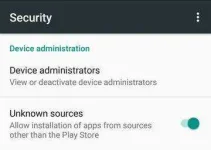
- Allow installation of apps from unknown sources.
Settings > Security > Unknown Sources
Step 1: Free download You do not have permission to view the full content of this post. Log in or register now..
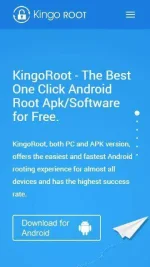
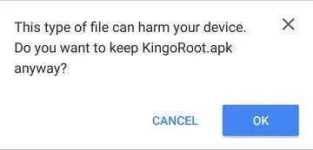
The download will be automatically started. If Chrome has warned you about KingoRoot.apk, click "OK" to proceed.
If you are using PC to view this tutorial, you have three choices.
- You can use the PC Version of You do not have permission to view the full content of this post.
Log in or register now. (PC Version), which has a higher success rate due to technical reasons.
You do not have permission to view the full content of this post. Log in or register now.
- You can visit You do not have permission to view the full content of this post.
Log in or register now. on your mobile and download the file on your device.
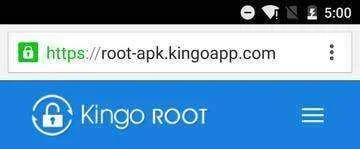
- You can download You do not have permission to view the full content of this post. Log in or register now. on your PC, transfer it to your Android device and then find the file via You do not have permission to view the full content of this post. Log in or register now. and install it from APK section.
If you didn't check "Unknown Sources" in Settings > Security, then during installation, you will get a prompt "Install blocked", stating that "For security, your phone is set to block installation of apps obtained from unknown sources".
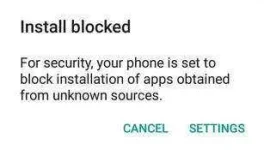
Just follow phone instructions and install Kingo Root on your device and allow installs from "Unknown Sources".
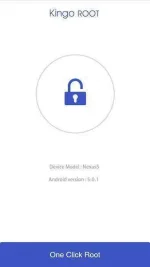
Step 3: Launch "Kingo ROOT" app and start rooting.
Kingo Root is very user-friendly and easy to use. Click "One Click Root" to start the rooting process.
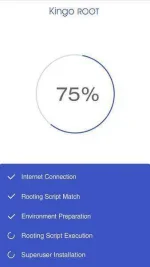
Step 4: Waiting for a few seconds till the result screen appear.
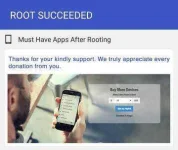
Step 5: Succeeded or Failed.
It is highly recommended that you try several times when rooting with KingoRoot apk version. We have several rooting methods integrated in apk root, however, it will only run one at a time.