PH
PHHeto baka magagamit nyo sa mga projects nyo (just in case hindi nyo pa alam).
A short Adobe Illustrator tutorial - USING BLEND TOOL
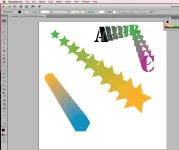
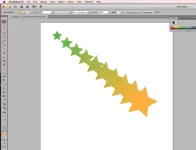
Check "sample.png". Use your imagination.
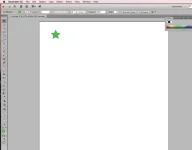
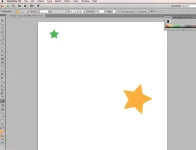
Step 1) create first shape (see "step1.png")
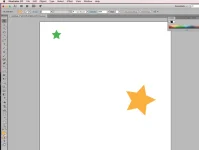
Step 2) create second shape (see "step2.png")
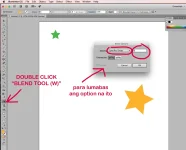
Step 3) double click BLEND TOOL and choose SPECIFIED STEPS and put some numbers (you can play around with the other options) (see "step3.png")
Step 4) now click on the first shape... then click on the second shape. (see "step4.png")
Step 5) That's it. Very simple. (see "step5.png")
You will never know, baka sa future, biglang kailangan nyo ang shortcut function na yan.
Goodluck and keep learning!
A short Adobe Illustrator tutorial - USING BLEND TOOL
Check "sample.png". Use your imagination.
Step 1) create first shape (see "step1.png")
Step 2) create second shape (see "step2.png")
Step 3) double click BLEND TOOL and choose SPECIFIED STEPS and put some numbers (you can play around with the other options) (see "step3.png")
Step 4) now click on the first shape... then click on the second shape. (see "step4.png")
Step 5) That's it. Very simple. (see "step5.png")
You will never know, baka sa future, biglang kailangan nyo ang shortcut function na yan.
Goodluck and keep learning!