PH
PHAdobe Illustrator
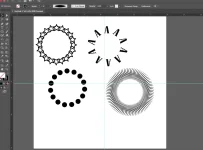
Paano gumawa ng circular patterns
(For Macintosh users, puwede rin sa Windows user)
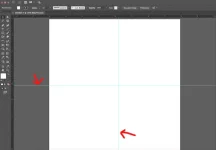
Step 1: create a canvas, tapos lagyan ng RULER GUIDE sa gitna (see photo step1.png)
- importante yan para dyan tayo magki-click pang gitna ng circle.
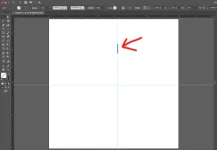
Step 2: create your shape. Dito sa sample na ito gawa tayo ng STICK. Ilagay sa medyo taas. Malayo ng konti sa gitna (see photo step2.png)
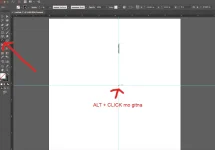
Step 3: with the shape STILL selected, sa tools, select ROTATE tool (see photo)...and the press ALT key (sa Mac) then click on the CENTER of canvas guide (yung gitna natin) (see photo step 3.png)
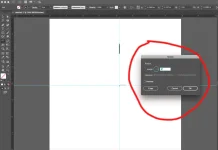
Step 4: then lalabas yung popup window ng Rotate (see photo step4.png)
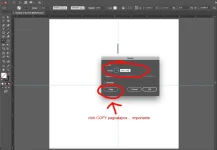
Step 5: sa angle TEXT BOX.... ilagay mo 360/180.....ibig sabihin niyan, 360 degrees na ikot....then gusto mo 180 pieces na sticks (kung gusto 100 na sticks lang, gawin mo 360/100...so on and so forth)....AND THEN click COPY button.... (importante click COPY button)
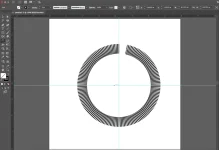
Step 6: and then press COMMAND + D.......... (or CTRL + D sa windows)..... sunod sunod.
TAPOS! Enjoy!
Paano gumawa ng circular patterns
(For Macintosh users, puwede rin sa Windows user)
Step 1: create a canvas, tapos lagyan ng RULER GUIDE sa gitna (see photo step1.png)
- importante yan para dyan tayo magki-click pang gitna ng circle.
Step 2: create your shape. Dito sa sample na ito gawa tayo ng STICK. Ilagay sa medyo taas. Malayo ng konti sa gitna (see photo step2.png)
Step 3: with the shape STILL selected, sa tools, select ROTATE tool (see photo)...and the press ALT key (sa Mac) then click on the CENTER of canvas guide (yung gitna natin) (see photo step 3.png)
Step 4: then lalabas yung popup window ng Rotate (see photo step4.png)
Step 5: sa angle TEXT BOX.... ilagay mo 360/180.....ibig sabihin niyan, 360 degrees na ikot....then gusto mo 180 pieces na sticks (kung gusto 100 na sticks lang, gawin mo 360/100...so on and so forth)....AND THEN click COPY button.... (importante click COPY button)
Step 6: and then press COMMAND + D.......... (or CTRL + D sa windows)..... sunod sunod.
TAPOS! Enjoy!