 PH
PH Fresh 30 Days HPI with Tutorial how to create HPI File
 GTM but try also to other network
 Good to All Site
Here I post the tutorial on how to make and use a Http injector for PC/Laptop step by step
Requirement
1. Http Injector Installer for PC/Laptop You do not have permission to view the full content of this post. Log in or register now.
Password: a-dev1412
2. Ssh account which you will need for creating a .HPI file
3. Working URL for your .HPI file
4. Brain.apk (your Knowledge)


Step
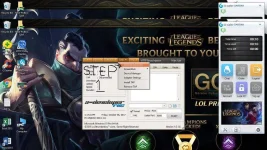
1. Install the application in your PC/Laptop
2. After you install the apps. Open mo na si Http Injector ( gamit na tayo ng sarili natin language para maintindihan ng lahat)


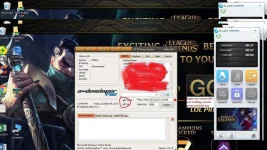
3. Tapos punta kana kay Tool Menu ni Http Injector then click mo si Payload Generator
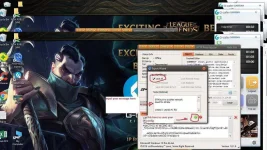
4. Ilagay mo sa Host/Domain yun gusto mo na Working URL like You do not have permission to view the full content of this post. Log in or register now.
(in a post pic I use my working URL)
5. Then sa Method Section piliin mo si Connect
(see post pic for detail)
6. Then sa Injection Section piliin mo si Normal Injection
(see post pic for detail)
7. Sa Header (optional) naman check Online-Host, Forward-Host, Forwarded-Host, Keep Alive and Use-Agent
(see post pic for detail)
8. Sa Payload (optional) naman check Dual-Connect
9. Pag tapos mo na sila lagyan click mo yun green na bilog na may check
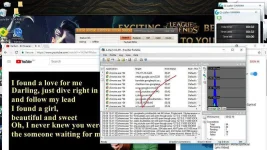
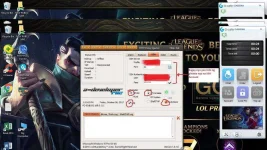
10. Then punta na kayo sa SSH menu then ilagay nyo yun ginawa nyo SSH Account
(see post pic for detail)
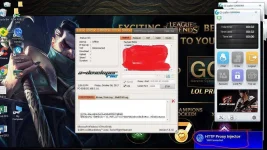
11. Pag okay na lahat click the START
12. To save your File go to Inject Menu then click Export Config then check Lock All then input your note for your file then click the green with check sign
(see post pic for details)
-
-
You do not have permission to view the full content of this post. Log in or register now.
Follow.

Credit: Leonilo

