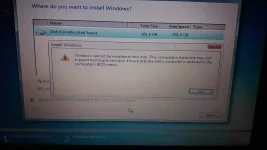
Make 2 partitions: 1 for system where the OS is installed (drive C) and the other is for miscellaneous (drive D). This is important because later on if you want to reformat then you just have to install the new OS in the drive C and leave your drive D intact where your important files like music, videos, pictures are stored (if you have no external drive for backup).
Click "new" and adjust the your preferred size of your system partition and then proceed to installing the OS there.
Drive D can be configured or reformatted later, or you can also reformat it beforehand.
The "system reserve" or other partition doesnt matter, just leave them be.
~good luck
 PH
PH