PH
PHCjcorpuz12
Enthusiast
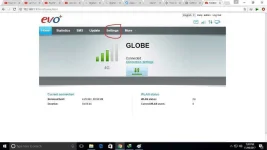
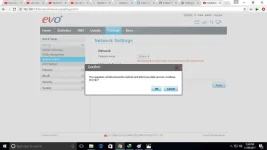
step1. First open nyo po yung dashboard po ninyo at pumonta sa settings
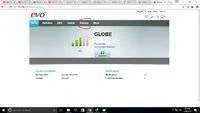
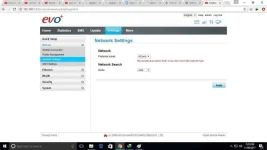
step2. Secong po ay punta po kayo sa dial-up and then click nyo po yung network settings and makikita po ninyo yung prefered mode click nyo po yung auto and change it to 4g
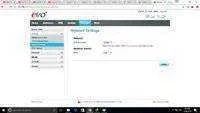
step 3.and then click niyo po apply after po nun clcik niyo po ulit yung 4g and change it to 3g naman po and click apply po and click ok
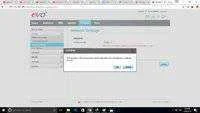
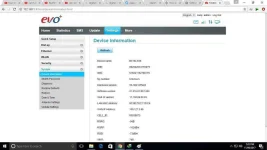
step 4. after po nun click again to 4g and then apply again this time check yo na po yung ip niyo sa device information
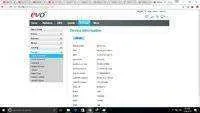
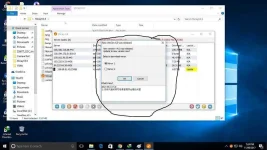
step 5.after po nun ay open niyo po ang sscap at dapat meron po kayong makitang ganito sa sscap pag new open
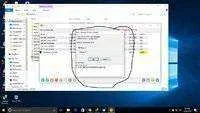
and kung wala pong magpapakita na ganon ay ulitin niyo lang po ang step 2-5
pro tip: use 3.9 version of sscap para gumana ito
step2. Secong po ay punta po kayo sa dial-up and then click nyo po yung network settings and makikita po ninyo yung prefered mode click nyo po yung auto and change it to 4g
step 3.and then click niyo po apply after po nun clcik niyo po ulit yung 4g and change it to 3g naman po and click apply po and click ok
step 4. after po nun click again to 4g and then apply again this time check yo na po yung ip niyo sa device information
step 5.after po nun ay open niyo po ang sscap at dapat meron po kayong makitang ganito sa sscap pag new open
and kung wala pong magpapakita na ganon ay ulitin niyo lang po ang step 2-5
pro tip: use 3.9 version of sscap para gumana ito