 PH
PHITOKENJI1221
Honorary Poster
Hi Guys !
Sana Makatulong sa inyo, Sa mga gustong e offline ung mga spotify songs nyo ito na pinaka hihintay nyo!
Dl nyo lang to guys Tuneskit Spotify Converter para madownload nyo ung mga songs nyo sa Spotify account nyo . Ma eenjoy nyo na rin ung ang mga songs nyo kahit walang internet in the fastest way!!
: escription::
----------------------
A brilliant Spotify DRM removal app designed to download and convert Spotify music songs, playlists, albums, and artists to MP3, AAC, WAV, FLAC, M4A, M4B losslessly, offering you a great experience to enjoy Spotify music offline on any player and device. Spotify is the biggest streaming music service in the market that only allows subscribers to stream to listen to music without downloading, if you sign up as a free membership. Now with TunesKit Spofity Music Converter for Windows, downloading all kinds of music from Spotify can’t be easier even if you are not subscribing the premium plan. You just need to drag the Spotify track, album, artist or playlist to the software screen and the music will be download in seconds within one click only. TunesKit Spotify Converter not only has the ability to download the Spotify music, but also can remove Spotify DRM and convert the songs, albums and artists to a number of popular output formats, including MP3, AAC, WAV, FLAC, M4A, M4B for different needs. After conversion, you will be able to play the Spotify music offline on any MP3 player, mobile device, home sound system, car radio, and so on.
----------------------
::Screenshots::
----------------------
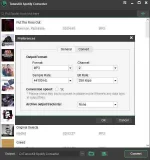
Requirements and Procedure :
- Need Laptop or desktop
- You need to download this Tool
- Disable your antivirus in awhile ( Para Hindi Burahin ung Patcher )
- Download the Spotify Converter.exe + Tunskit patcherr
- Click the the Spotify Converter .exe and install
-After the installation of Spotify Converter
- Click the patcher
-if hindi makita may lalabas na box punta lang kayo dito - COMPUTER > PROGRAM FILE > TUNESKIT FOLDER > CLICK THE ICON AND UN ρá†ch NA MAY LALABAS NA DONE SA BOX.
Sana Makatulong sa inyo, Sa mga gustong e offline ung mga spotify songs nyo ito na pinaka hihintay nyo!
Dl nyo lang to guys Tuneskit Spotify Converter para madownload nyo ung mga songs nyo sa Spotify account nyo . Ma eenjoy nyo na rin ung ang mga songs nyo kahit walang internet in the fastest way!!
:
escription:: ----------------------
A brilliant Spotify DRM removal app designed to download and convert Spotify music songs, playlists, albums, and artists to MP3, AAC, WAV, FLAC, M4A, M4B losslessly, offering you a great experience to enjoy Spotify music offline on any player and device. Spotify is the biggest streaming music service in the market that only allows subscribers to stream to listen to music without downloading, if you sign up as a free membership. Now with TunesKit Spofity Music Converter for Windows, downloading all kinds of music from Spotify can’t be easier even if you are not subscribing the premium plan. You just need to drag the Spotify track, album, artist or playlist to the software screen and the music will be download in seconds within one click only. TunesKit Spotify Converter not only has the ability to download the Spotify music, but also can remove Spotify DRM and convert the songs, albums and artists to a number of popular output formats, including MP3, AAC, WAV, FLAC, M4A, M4B for different needs. After conversion, you will be able to play the Spotify music offline on any MP3 player, mobile device, home sound system, car radio, and so on.
----------------------
::Screenshots::
----------------------
Requirements and Procedure :
- Need Laptop or desktop
- You need to download this Tool
- Disable your antivirus in awhile ( Para Hindi Burahin ung Patcher )
- Download the Spotify Converter.exe + Tunskit patcherr
- Click the the Spotify Converter .exe and install
-After the installation of Spotify Converter
- Click the patcher
-if hindi makita may lalabas na box punta lang kayo dito - COMPUTER > PROGRAM FILE > TUNESKIT FOLDER > CLICK THE ICON AND UN ρá†ch NA MAY LALABAS NA DONE SA BOX.
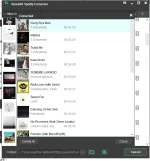
 Try ko muna. Feedback later!