PH
PHNew implemented requirement:
Established members are members that have a few extra features because they contributed something useful to this site. It's actually not hard to become an established member, but it does require some minimal effort.
Basic requirements:
Related Links:
Tutorial: how to solve associating with external account
[tutorial] how to associate fb/twt/google account to phc account
Tutorial Associate facebook account
- User's forum account must be associated with their Facebook OR Google OR Twitter account
Established members are members that have a few extra features because they contributed something useful to this site. It's actually not hard to become an established member, but it does require some minimal effort.
Basic requirements:
- User has posted at least 30 post
- User has been registered for at least 30 days
- User's forum account must be associated with their Facebook OR Google OR Twitter account
- Maintain 5 post every 30 days period to keep your account on Established Group.
- Associate with External Accounts here: https://phcorner.org/account/external-accounts
- Configure your Social Network Sharing Options here: https://phcorner.org/account/preferences
It can take up to an hour for the promotion to happen
(there is an hourly process that checks for promotions for users that have visited the site recently).
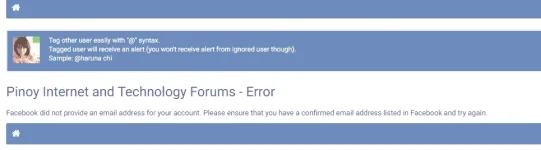
Kapag naka tanggap kayu ng ganitong error:
Facebook did not provide an email address for your account.
Please ensure that you have a confirmed email address listed in Facebook and try again.
Ibig sabihin hindi pa verified via email ang Facebook account mu.
Kaylangan mu yung ma verify muna thru email na gamit mu sa Facebook or palitan mu ng working email.
If you created a Facebook account with an email, FB sent a confirmation link to that email.
If you can't find your confirmation email:
Check your junk mail folder.
If you're using Gmail, check your Social emails.
Make sure that you entered the correct email.
If you entered the wrong email, you can change it and send the email again.
Kapag nang hingi ng password ang PHCorner while nag associate kayu ng External Account,
PHCorner password ilagay nyu hindi external site pass.
Kung wala naman kayung password na naka set dito sa PHC kasi naka register lang kayu thru Google/Twitter/Facebook,
Request kayu ng Password dito: https://phcorner.org/account/security
or @tag nyu aku (expect late response) para mabigyan ku kayu ng temporary password para magamit nyu pang login at pang associate ng Facebook/Twitter.

Makikita nyu email na gamit dito https://phcorner.org/account/contact-details
Kung nag-alala kayu sa privacy ninyu, wala pong nakaka alam or nakaka access ng Social account nyu.
Naka connect/associate lang yan for Validity reason.
Related Links:
Tutorial: how to solve associating with external account
[tutorial] how to associate fb/twt/google account to phc account
Tutorial Associate facebook account