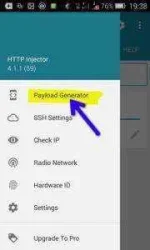
♣. On the menu that appears we press “Payload Generator”.
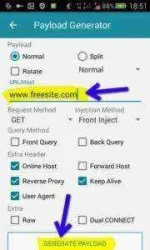
♣. This brings us to the payload generator. I normally generate my payloads as seen bellow, but use whatever works best for you, and your particular network. In the “URL/Host” field you have to put the URL of whatever the free host is on your particular network (Example: 0.freebasics.com, wikipedia.org, internet.org, m.phcorner.org/#forbidden# etc… ). I wrote more about finding free hosts in the beginning of this article. After that is sorted out, we proceed by pressing “Generate Payload”.
♣. Great! We now have a fully functional HTTP Injector config. Well sort of Now we just have to test and debug our new creation.
 PH
PH