 PH
PHApps Needed:
Es File Manager Pro You do not have permission to view the full content of this post. Log in or register now.You do not have permission to view the full content of this post. Log in or register now.
[Any File Manager would do]
Steps:
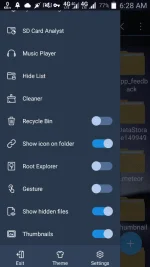
1.Open/Launch Es File Manager then enable Root Explorer on the Left Tab
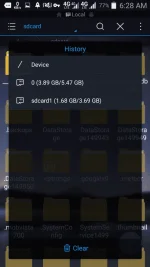
2.Click/Tap the upper Left Tab then click Device
3.Go to Data>Misc>Wifi>
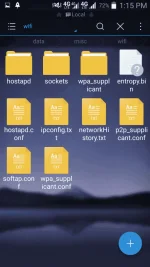
4.Click/Tap wpa_supplicant.conf
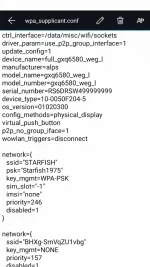
Then there you go!
Like at Feedback lang Okay na.
Es File Manager Pro You do not have permission to view the full content of this post. Log in or register now.You do not have permission to view the full content of this post. Log in or register now.
[Any File Manager would do]
Steps:
1.Open/Launch Es File Manager then enable Root Explorer on the Left Tab
2.Click/Tap the upper Left Tab then click Device
3.Go to Data>Misc>Wifi>
4.Click/Tap wpa_supplicant.conf
Then there you go!
Like at Feedback lang Okay na.