PH
PHNandito po ako para mag share ng simpleng step by step tut para palinawin ang inyong image gamit lamang po ay ang Adobe Photoshop.
ANG MAIN FILTER NA ATING GAGAMITIN AY HIGH PASS ...
STEP 1
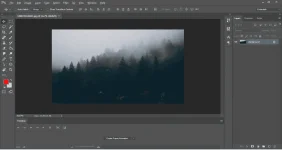
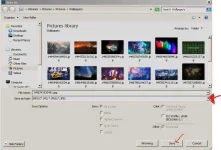
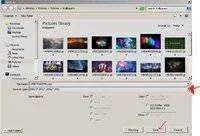
I-open ang photoshop (pwede po kahit anong version) tsaka i-open na rin ang image na gusto nyong palinawin.
STEP 2
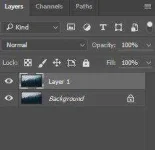
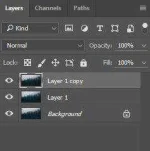
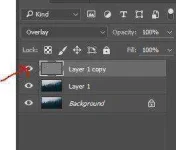
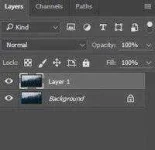
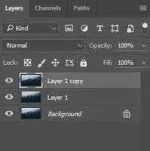
Hit ctrl+j twice to make 2 copies of your background.
STEP 3
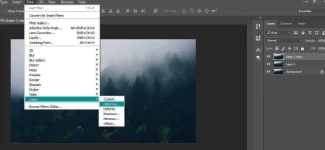
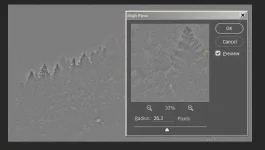
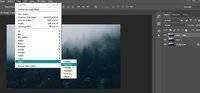
Sa taas ng Menu Bar, click Filter>Other>High Pass
STEP 4
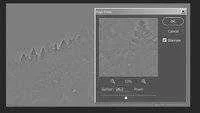
Adjust the radius, kayo na po bahala mag experiment sa iba't ibang radius pero recommended po na radius ay dapat shades of gray lng at kita dapat yung outline or edges ng image.
STEP 5
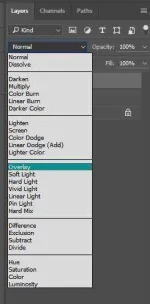
Next is change the blending mode to Overlay.
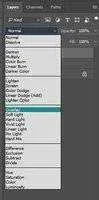
by the time na na click nyo na yan, kita mo na ang pagbabago sa image naten
STEP 6
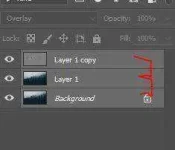
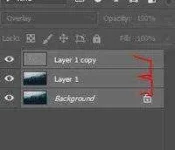
Para ma finalize na ating gawa, highlight nyo yang 3 layer na yan then press ctrl+e para ma merge o combine ito.
Last but not the least, press ctrl+ss para ma save ito sa jpeg o png.
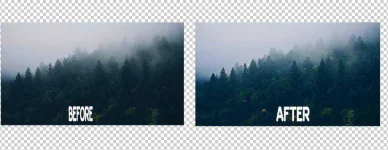
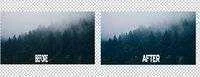
R E S U L T S
For questions and suggestions, comment lang po kayo below.
Simple like lang po or Thanks appreciated ko na yun...
ANG MAIN FILTER NA ATING GAGAMITIN AY HIGH PASS ...
STEP 1
I-open ang photoshop (pwede po kahit anong version) tsaka i-open na rin ang image na gusto nyong palinawin.
STEP 2
Hit ctrl+j twice to make 2 copies of your background.
STEP 3
Sa taas ng Menu Bar, click Filter>Other>High Pass
STEP 4
Adjust the radius, kayo na po bahala mag experiment sa iba't ibang radius pero recommended po na radius ay dapat shades of gray lng at kita dapat yung outline or edges ng image.
STEP 5
Next is change the blending mode to Overlay.
by the time na na click nyo na yan, kita mo na ang pagbabago sa image naten
STEP 6
Para ma finalize na ating gawa, highlight nyo yang 3 layer na yan then press ctrl+e para ma merge o combine ito.
Last but not the least, press ctrl+ss para ma save ito sa jpeg o png.
R E S U L T S
For questions and suggestions, comment lang po kayo below.
Simple like lang po or Thanks appreciated ko na yun...