 PH
PHna hanap kulang po ito,, comment nalang po kung gumana sa inyo..
Requirements:
Requirements:
- A Smart sim
- Use 3G, 3.5G, and LTE for better speed
- 3G or 4G supported Android phone
- First of all Download and install You do not have permission to view the full content of this post. Log in or register now.
- Now Open Psiphon handler
- Then proxy type as Real Host or Host
- Check on Remove Port
- And set Proxy Server as v.smartads.com.ph or smart.safezone.ph
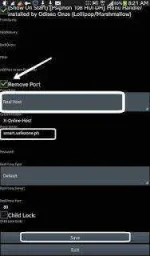
- Then Click on Save button Now you will see connection manager.
- It will ask you to use psiphon browser only & Tunnel whole Device
- Select Tunnel whole Device option
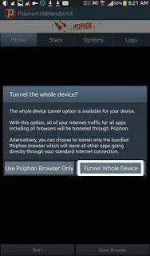
- Now a pop up window will ask you to Create VPN severe with Psiphon. ALLOW it by pressing ok
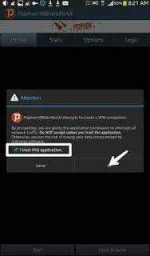
- Now wait for 10 to 20 seconds you will be get Connected.
- After getting Connected minimize Psiphon handler and Start browsing and downloading.
- No daily limit for this trick because Psiphon is completely free VPN service

- So you can surf unlimited Internet on the Smart sim