PH
PHShare ko lng kung paano paganahin ang IDM and Mozilla sa SSCAP.
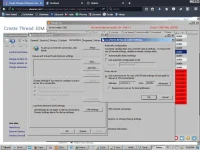
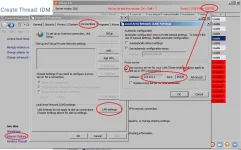
I. kung hndi pa naka config sa LAN Setting nyo:
1. Internet Options ==> Connections ==> LAN Settings ==> Proxy Server
2. Type in address "127.0.0.1" and Port "25378" that you can see in SSCAP
II. For IDM naman:
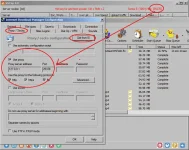
1. Open IDM ==> Go to Options ==> Proxy/Socks.
2. Click "Get from IE"
or
3. Manual input: Check Use Proxy
4. Type in Proxy server address "127.0.0.1" and Port "25378" that you can see in SSCAP
5. Check "http" , Check "https" , Check "ftp" then OK
III. For Mozilla Firefox naman
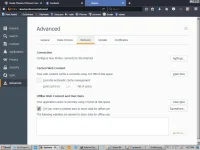
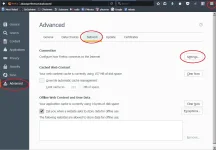
1. Options ==> Advance ==> Network ==> Settings
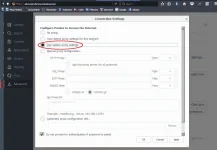
2. Then Click "Use system proxy settings" and OK
May ma ishare lang heheh, feedback and like n lng salamat
I. kung hndi pa naka config sa LAN Setting nyo:
1. Internet Options ==> Connections ==> LAN Settings ==> Proxy Server
2. Type in address "127.0.0.1" and Port "25378" that you can see in SSCAP
II. For IDM naman:
1. Open IDM ==> Go to Options ==> Proxy/Socks.
2. Click "Get from IE"
or
3. Manual input: Check Use Proxy
4. Type in Proxy server address "127.0.0.1" and Port "25378" that you can see in SSCAP
5. Check "http" , Check "https" , Check "ftp" then OK
III. For Mozilla Firefox naman
1. Options ==> Advance ==> Network ==> Settings
2. Then Click "Use system proxy settings" and OK
May ma ishare lang heheh, feedback and like n lng salamat