PH
PHPara po sa mga New member.
Hirap po kasi magedit lagi
Sa reply kapag may nagpaturo.
Kaya ginawa ko nalang na ganito
Para madalian ang pasa ng post.
Ok here we go
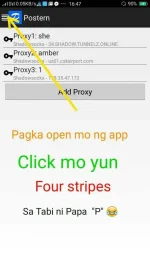
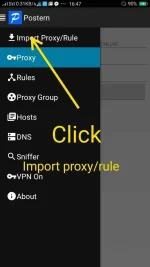
Click "import local"
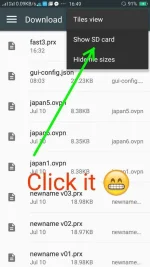
Then click 3 stripes sa upper left
Para lumabas itong next figure.
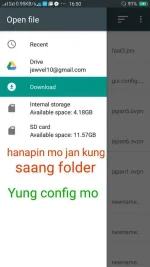
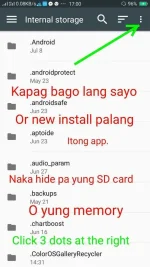
Kung downloaded yung config,
Asa download folder. Kung may prx generator ka, hanapin mo nalang yung name ng folder ng generator mo.
Click the choosen file and it will automatically go like the figure below
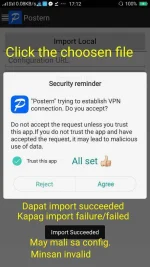
Pahabol -- minsan pala hindi naka setup yung mga may rules na config.
Back to 3 stripes sa tabi ni P
And click RULES.
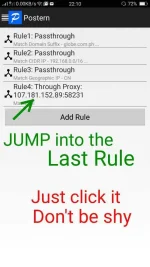
Kapag ang nakalagay sa last Rule ay hindi "Pass through proxy"
Just add rule then follow the next figure
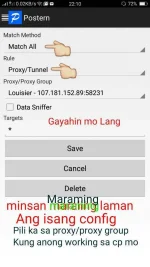
Kapag walang nakalagay na Rule --
Just add rule & follow the figure above,
Then Click save.

Kapag naka "VPN On" it means off pa yung VPN mo.
Kapag naka "VPN Off" it means you're vpn is already open.
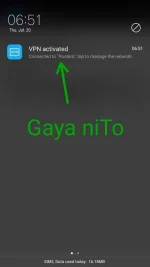
Yung ibang android, merong "KEY" icon VPN indicator na open na yung vpn.
Yung iba wala. Vpn connected info lang.
Try to browse..
and enjoy ka PHC
Hirap po kasi magedit lagi
Sa reply kapag may nagpaturo.
Kaya ginawa ko nalang na ganito
Para madalian ang pasa ng post.
Ok here we go
Click "import local"
Then click 3 stripes sa upper left
Para lumabas itong next figure.
Kung downloaded yung config,
Asa download folder. Kung may prx generator ka, hanapin mo nalang yung name ng folder ng generator mo.
Click the choosen file and it will automatically go like the figure below
Pahabol -- minsan pala hindi naka setup yung mga may rules na config.
Back to 3 stripes sa tabi ni P
And click RULES.
Kapag ang nakalagay sa last Rule ay hindi "Pass through proxy"
Just add rule then follow the next figure
Kapag walang nakalagay na Rule --
Just add rule & follow the figure above,
Then Click save.
Kapag naka "VPN On" it means off pa yung VPN mo.
Kapag naka "VPN Off" it means you're vpn is already open.
Yung ibang android, merong "KEY" icon VPN indicator na open na yung vpn.
Yung iba wala. Vpn connected info lang.
Try to browse..
and enjoy ka PHC