PH
PHCryptolifee
Fanatic
Hi Guys, Turo ko sa inyo kung paano mag karoon ng Google Assistant sa Android running 5.+ Lollipop Version without root.
Let's get started...
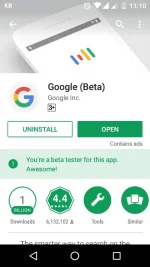
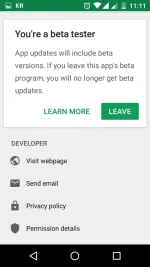
First, Kelangan nyo mag enroll sa Google Play store "Beta Tester"
Then, Update nyo Latest Google App Beta version.
Next Download nyo Ang Google Assistant Launcher
You do not have permission to view the full content of this post. Log in or register now.
Then syempre Install nyo,
After nyo Mainstall
Punta kayo sa SM hahaha joke
Go to settings, then app, Scroll nyo si Google app.
Manage Space, then Clear Data.
Back to Menu Clear all Task
OPEN nyo si Google Assistant Launcher.
....
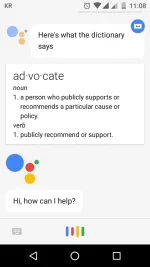
Mayroon na kayong Google Assistant.
Kausapin nyo nalang
English Dapat.
Thank
Feedback kong working...
Let's get started...
First, Kelangan nyo mag enroll sa Google Play store "Beta Tester"
Then, Update nyo Latest Google App Beta version.
Next Download nyo Ang Google Assistant Launcher
You do not have permission to view the full content of this post. Log in or register now.
Then syempre Install nyo,
After nyo Mainstall
Punta kayo sa SM hahaha joke
Go to settings, then app, Scroll nyo si Google app.
Manage Space, then Clear Data.
Back to Menu Clear all Task
OPEN nyo si Google Assistant Launcher.
....
Mayroon na kayong Google Assistant.
Kausapin nyo nalang
English Dapat.
Thank
Feedback kong working...