M MHXXXXXX Fanatic Jul 1, 2017 #2 what do you mean sir?.. di ko magets anong clasing program?. Upvote 0 Downvote
A ashamalaycum Forum Veteran Jul 1, 2017 #3 mahirap kasi unawain ibig mong sabihin ts.. kaya di pinapansin thread mo.. maging specific ka.. kahit magaling sa pc mahihirapan sayong tanong.. Upvote 0 Downvote
mahirap kasi unawain ibig mong sabihin ts.. kaya di pinapansin thread mo.. maging specific ka.. kahit magaling sa pc mahihirapan sayong tanong..
TS TS M malabonthugs Leecher Jul 1, 2017 #4 Napalitan ko ung open with ba sa window explorer Upvote 0 Downvote
TS TS M malabonthugs Leecher Jul 1, 2017 #5 Napalitan ko ung open with ba sa window explorer Upvote 0 Downvote
TS TS M malabonthugs Leecher Jul 1, 2017 #6 Lahat nung nasa destop ko paripeiho ung icon nila .. Upvote 0 Downvote
A ashamalaycum Forum Veteran Jul 1, 2017 #8 sa right click po ba? yung makikita na open with? Upvote 0 Downvote
R Ryo Saeba Honorary Poster Jul 1, 2017 #10 ano ang last na ginawa mo or any encounter before ito nangyari TS? Upvote 0 Downvote
TS TS M malabonthugs Leecher Jul 1, 2017 #11 Ahm wala po . ung nasa open with lang napalitan ko po Upvote 0 Downvote
R Ryo Saeba Honorary Poster Jul 1, 2017 #12 You do not have permission to view the full content of this post. Log in or register now. Eto TS try mo Reset the shortcut behavior to factory settings. So how did we fix it ? You do not have permission to view the full content of this post. Log in or register now. Open Regedit Open Key folder: HKEY_CURRENT_USER | SOFTWARE | MICROSOFT | WINDOWS | CURRENT VERSION |EXPLORER | FILEXTS |.LNK Locate a sub folder named: User Choice Delete it Close RegEdit Reboot Now all your shortcuts should be back to normal Upvote 0 Downvote
You do not have permission to view the full content of this post. Log in or register now. Eto TS try mo Reset the shortcut behavior to factory settings. So how did we fix it ? You do not have permission to view the full content of this post. Log in or register now. Open Regedit Open Key folder: HKEY_CURRENT_USER | SOFTWARE | MICROSOFT | WINDOWS | CURRENT VERSION |EXPLORER | FILEXTS |.LNK Locate a sub folder named: User Choice Delete it Close RegEdit Reboot Now all your shortcuts should be back to normal
TS TS M malabonthugs Leecher Jul 1, 2017 #15 Parang ito nga .. Maramung salamat talaga.. Upvote 0 Downvote
S Sentry Forum Veteran Jul 1, 2017 #16 may system restore po pwede nyong ma access sa control panel select nyo nalang yung specific time before nangyari yung problema Upvote 0 Downvote
may system restore po pwede nyong ma access sa control panel select nyo nalang yung specific time before nangyari yung problema
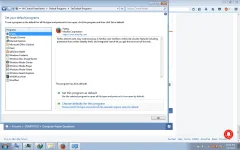
F Futility Forum Expert Jul 1, 2017 #17 Sa Default programs sa control panel, associate niyo yung file extension ng ibang program. Upvote 0 Downvote
R Ryo Saeba Honorary Poster Jul 1, 2017 #18 "choose defaults for this program" kay John Ace Lopez Upvote 0 Downvote
TS TS M malabonthugs Leecher Jul 2, 2017 #19 Sir natry ko na yan ayaq eh .. Ayaw ma default eh Upvote 0 Downvote
 PH
PH