 PH
PHAdvantages of Pro version:
- Light and dark theme;
- Password storage;
- Image preview in archive;
- Editing the files in the archive (see notes);
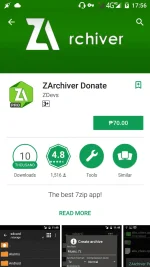
ZArchiver - is a program for archive management. It has a simple and functional interface.
ZArchiver lets you:
- Create the following archive types: 7z (7zip), zip, bzip2 (bz2), gzip (gz), XZ, tar;
- Decompres the following archive types: 7z (7zip), zip, rar, rar5, bzip2, gzip, XZ, iso, tar, arj, cab, lzh, lha, lzma, xar, tgz, tbz, Z, deb, rpm, zipx, mtz, chm, dmg, cpio, cramfs, img (fat, ntfs, ubf), wim, ecm, arc (freearc), lzip;
- View archive contents: 7z (7zip), zip, rar, rar5, bzip2, gzip, XZ, iso, tar, arj, cab, lzh, lha, lzma, xar, tgz, tbz, Z, deb, rpm, zipx, mtz, chm, dmg, cpio, cramfs, img (fat, ntfs, ubf), wim, ecm, arc (freearc), lzip;
- Create and decompress password-protected archives;
- Edit archives: add/remove files to/from the archive (zip, 7zip, tar, apk, mtz);
- Create and decompress multi-part archives: 7z, rar(decompress only);
- Partial archive decompression;
- Open compressed files;
- Open an archive file from mail applications;
- Extract splited archives: 7z, zip and rar (7z.001, zip.001, part1.rar, z01);
link
You do not have permission to view the full content of this post. Log in or register now.
- Light and dark theme;
- Password storage;
- Image preview in archive;
- Editing the files in the archive (see notes);
ZArchiver - is a program for archive management. It has a simple and functional interface.
ZArchiver lets you:
- Create the following archive types: 7z (7zip), zip, bzip2 (bz2), gzip (gz), XZ, tar;
- Decompres the following archive types: 7z (7zip), zip, rar, rar5, bzip2, gzip, XZ, iso, tar, arj, cab, lzh, lha, lzma, xar, tgz, tbz, Z, deb, rpm, zipx, mtz, chm, dmg, cpio, cramfs, img (fat, ntfs, ubf), wim, ecm, arc (freearc), lzip;
- View archive contents: 7z (7zip), zip, rar, rar5, bzip2, gzip, XZ, iso, tar, arj, cab, lzh, lha, lzma, xar, tgz, tbz, Z, deb, rpm, zipx, mtz, chm, dmg, cpio, cramfs, img (fat, ntfs, ubf), wim, ecm, arc (freearc), lzip;
- Create and decompress password-protected archives;
- Edit archives: add/remove files to/from the archive (zip, 7zip, tar, apk, mtz);
- Create and decompress multi-part archives: 7z, rar(decompress only);
- Partial archive decompression;
- Open compressed files;
- Open an archive file from mail applications;
- Extract splited archives: 7z, zip and rar (7z.001, zip.001, part1.rar, z01);
link
You do not have permission to view the full content of this post. Log in or register now.
