PH
PHPatWelve13
Fanatic
Sa ngayon pagandahin po muna natin mga USB natin.
Post ko mamaya paano mag hide and unhide ng folders sa USB mo.
Na kahit mag change ng settings sa laptop ng iba to view hidden folders ay di parin nila makikita ang hidden folder mo.
For Label and Logo ng USB mo
(download muna kayo ng icon file (.ico) at e save nyo sa USB - wag po e folder ha)
1. Open Notepad
2. Type these nalang po
[AutoRun]
label= (createyourusbname)
ICO=nameoftheiconfile.icon
3. then type po sa File Name --> AutoRun.inf
4. then Save as type --> choose Unicode
5. SAVE (sa main window po ng USB nyo e save)
-----> right click the AutoRun.inf, go to Properties, uncheck Read-Only and check Hidden then click OK.
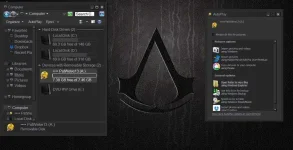
see attached file sa sample ng USB ko..
THAT'S IT PANSIT!
Enjoy po mga ka PHC!
Post ko mamaya paano mag hide and unhide ng folders sa USB mo.
Na kahit mag change ng settings sa laptop ng iba to view hidden folders ay di parin nila makikita ang hidden folder mo.
For Label and Logo ng USB mo
(download muna kayo ng icon file (.ico) at e save nyo sa USB - wag po e folder ha)
1. Open Notepad
2. Type these nalang po
[AutoRun]
label= (createyourusbname)
ICO=nameoftheiconfile.icon
3. then type po sa File Name --> AutoRun.inf
4. then Save as type --> choose Unicode
5. SAVE (sa main window po ng USB nyo e save)
-----> right click the AutoRun.inf, go to Properties, uncheck Read-Only and check Hidden then click OK.
see attached file sa sample ng USB ko..
THAT'S IT PANSIT!
Enjoy po mga ka PHC!