 PH
PHShinsuke Nishizono
Wimpy Kid
Welcome again!
Today kung panno i-live stream ng Games mo katulad ng (LoL , Dota2 , etc...) sa Facebook.
REQUIREMENTS
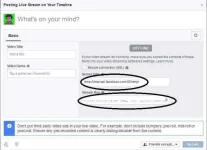
1. Go to -> You do not have permission to view the full content of this post. Log in or register now. then click "Create Live Stream." Then copy mo yung livesteam url and stream key.
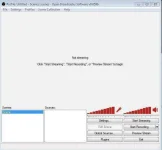
2. Install OBS then run it.
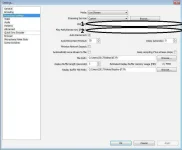
3. Go to Settings tab sa taas ng OBS , then go to Broadcast Settings.
Copy mo yung livestream url at key sa Facebook then paste mo sa obs.
LEGEND:
1: Stream URL
2. Stream Key
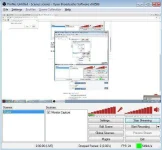
4. Now , sa Sources right click mo sa box then add Monitor Capture. Yes lang ng yes kung ok lang ng settings sa OBS. But you can customized it.
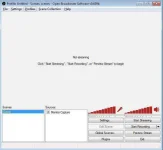
5. Now click Preview Stream , if meron dropped frames sa baba. You can customized it. Search lang kung anong best settings sa Graphics Card mo.
6. Kung tapos na click Start Streaming.
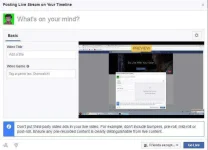
7. Balik ka sa unang step. Check mo yung livestream mo kung gumagana na.
And done!
Easy lang! =)
Today kung panno i-live stream ng Games mo katulad ng (LoL , Dota2 , etc...) sa Facebook.
REQUIREMENTS
- OBS (Open Broadcaster Software) obsproject.com
- A good internet connection.
- PC. Recommended na graphics card mga DDR3 with 2Gb ng video memory.
1. Go to -> You do not have permission to view the full content of this post. Log in or register now. then click "Create Live Stream." Then copy mo yung livesteam url and stream key.
2. Install OBS then run it.
3. Go to Settings tab sa taas ng OBS , then go to Broadcast Settings.
Copy mo yung livestream url at key sa Facebook then paste mo sa obs.
LEGEND:
1: Stream URL
2. Stream Key
4. Now , sa Sources right click mo sa box then add Monitor Capture. Yes lang ng yes kung ok lang ng settings sa OBS. But you can customized it.
5. Now click Preview Stream , if meron dropped frames sa baba. You can customized it. Search lang kung anong best settings sa Graphics Card mo.
6. Kung tapos na click Start Streaming.
7. Balik ka sa unang step. Check mo yung livestream mo kung gumagana na.
And done!
Easy lang! =)
