PH
PHRequirements:
Spotify App
Per App häçking (xposed module)
Internet Connection
Your Phone Must Be Rooted
Step by Step Process
1. Download and install Per App häçking
***Download Link: org.t2k269.perapphäçking_v6_07b29a.apk
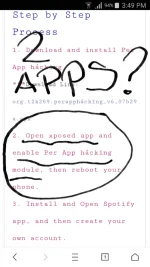
2. Open xposed app and enable Per App häçking module, then reboot your phone.
3. Install and Open Spotify app, and then create your own account.
4. Under Spotify "settings" tab, click "Go Premium".
5. Wait until the screen loads, then avail a "Free Trial".
6. Open xposed app and click Per App häçking. (Per App häçking interface should open)
7. In that Per App häçking, click on Spotify and change it's time and date.
TAKE NOTE: Decrease the time. Change the year into "2000" instead of "2017"
8. Open Spotify app, then check your subscription. Makikita mo ang resulta.
Spotify App
Per App häçking (xposed module)
Internet Connection
Your Phone Must Be Rooted
Step by Step Process
1. Download and install Per App häçking
***Download Link: org.t2k269.perapphäçking_v6_07b29a.apk
2. Open xposed app and enable Per App häçking module, then reboot your phone.
3. Install and Open Spotify app, and then create your own account.
4. Under Spotify "settings" tab, click "Go Premium".
5. Wait until the screen loads, then avail a "Free Trial".
6. Open xposed app and click Per App häçking. (Per App häçking interface should open)
7. In that Per App häçking, click on Spotify and change it's time and date.
TAKE NOTE: Decrease the time. Change the year into "2000" instead of "2017"
8. Open Spotify app, then check your subscription. Makikita mo ang resulta.
 tanong lang, pano kung nag pog in ka sa mismong site nila? makikita mo ba dun date na na häçk mo, or yung iriginal date padin?