🔒 Closed Wi-fi häçk tutorial :)

Status
Not open for further replies.

Sarah_09

Leecher
Pa-follow nalang pls.
1. Download ANDRO DUMPPER app
2. Open the app
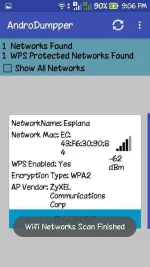
3. Scan wi-fi
4. Click the wi-fi scanned you're trying to häçk
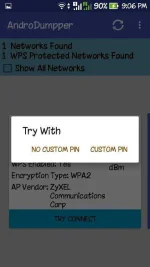
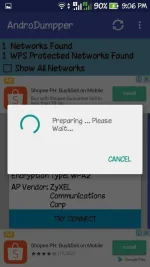
5. Click TRY CONNECT
6. Click NO CUSTOM PIN
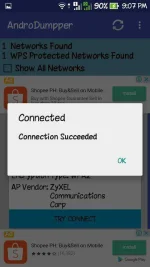
6. Pag may wi-fi logo na kayo sa taas, connected na yan.
 

Attachments

  • Screenshot_2017-03-25-21-06-45.webp
    Screenshot_2017-03-25-21-06-45.webp
    41.7 KB · Views: 61
  • Screenshot_2017-03-25-21-06-51.webp
    Screenshot_2017-03-25-21-06-51.webp
    25.5 KB · Views: 61
Based on my research its a MALWARE carrier apps po. But anyway, thanks for the info ts. I will investigate further with regard to its security. Mahirap na hehe
 
Status
Not open for further replies.

About this Thread

  • 16
    Replies
  • 1K
    Views
  • 12
    Participants
Last reply from:
nolram0

Trending Topics

Online now

Members online
1,738
Guests online
884
Total visitors
2,622

Forum statistics

Threads
2,272,563
Posts
28,943,563
Members
1,237,253
Latest member
karim_mo
Back
Top